Aadhaar-PAN linking: How to apply for e-PAN using Aadhaar Card without paying any money? Check step-by-step guide
GH News December 26, 2025 01:06 PM
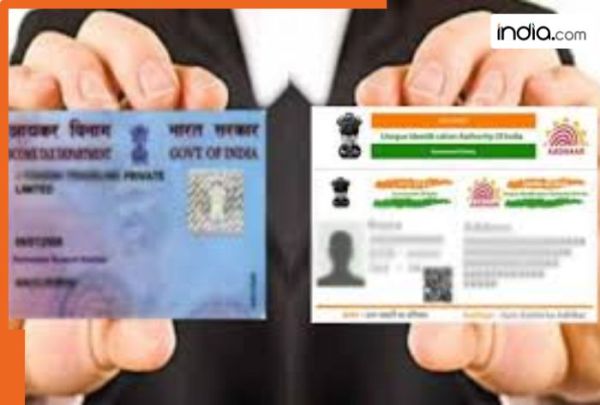
A Permanent Account Number (PAN) is a 10-digit alphanumeric number issued in the form of a laminated “PAN card” by the Indian Income Tax Department to individuals and entities. It consists of ten letters numbers and an alphanumeric code. The first five characters are all letters the next four are numbers and the last character is a letter. The PAN Card is one of the two most significant documents in India. Starting from availing financial services to filing Income Tax Return (ITR) PAN Card is needed everywhere. The government has made it mandatory for everyone to link their Aadhaar card with their PAN Card before December 31 2025. Failing to do so can make your PAN Card inoperative.
And so the individual will not be able to file their Income Tax Returns or other tax-related activities until they have met the above requirement. The PAN number is assigned as a unique 10-digit identification code to track all financial activity associated with an individual.
PAN Card has become an indispensable part of ones identity. PAN is required whether you wish to open a bank account conduct transactions above specific limits invest or become eligible for various government schemes. If you are not yet aware of the application process or how to get your own PAN dont worry; we will tell you all about it below.
The Income Tax Department has commenced a facility that enables anyone to obtain an instant PAN card using their Aadhaar card. The primary benefit of this service is that applicants will not need to submit any paper forms or pay any hefty application fees. All applications can be completed online. An electronic PAN (E-PAN) will be ready immediately after completion of the application process.
To apply for an instant PAN go to the website for the Income Tax Department where you will see the option “Instant PAN through Aadhaar”. Once you select the option fill out a new PAN application by entering your Aadhaar number and captcha. An OTP (one-time password) will be sent to your registered mobile phone which is required for verifying your Aadhaar information. Once you enter the OTP accept the required terms and submit the completed PAN application form.
Upon completion of your application you will receive a receipt number which can be used to track the current status of your PAN card. This receipt number will allow you to track your e-PAN which is generated shortly after the receipt number is received. Your e-PAN can be downloaded. The application process is completely free of charge and the entire procedure is fast and reliable. You will not need to engage the services of an agent or wait in long queues. After the PAN card has been issued it will remain valid for your lifetime.
Generate New e-PAN: The steps as mentioned on the official website of the Income Tax Department have been listed down.
Step 1: Go to the e-Filing portal homepage click Instant e-PAN.
Step 2: On the e-PAN page click Get New e-PAN.
Step 3: On the Get New e-PAN page enter your 12-digit Aadhaar number select the I confirm that checkbox and click Continue.
If the Aadhaar is already linked to a valid PAN the following message is displayed - Entered Aadhaar Number is already linked with a PAN. If the Aadhaar is not linked with any mobile number the following message is displayed - Entered Aadhaar Number is not linked with any active mobile number.
Step 4: On the OTP validation page click I have read the consent terms and agree to proceed further. Click Continue.
Step 5: On the OTP validation page enter the 6-digit OTP received on the mobile number linked with Aadhaar select the checkbox to validate the Aadhaar details with UIDAI and click Continue.
Step 6: On the Validate Aadhaar Details page select the I Accept that checkbox and click Continue.
On successful submission a success message is displayed along with an Acknowledgement Number. Please keep a note of the Acknowledgement ID for future reference. You will also receive a confirmation message on your mobile number linked with Aadhaar.