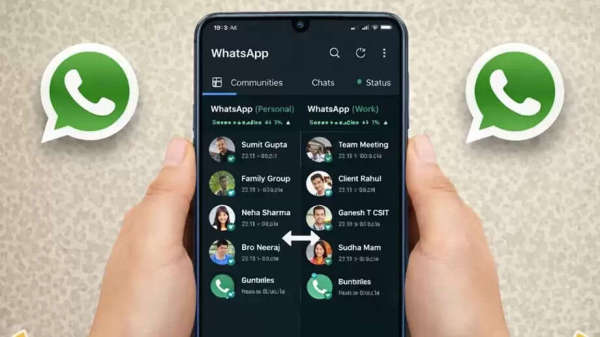
How to Use Two WhatsApp Accounts: If you use two SIM cards and want to run WhatsApp accounts on both, WhatsApp offers this feature. WhatsApp provides a multi-account feature, eliminating the need to carry separate phones for different numbers. This feature is especially beneficial for users who want to keep their personal and professional numbers separate. With the right settings, both accounts can be used securely on the same phone. Here's how to do it.
What is WhatsApp's Multi-Account Feature?
WhatsApp allows users to add two accounts within the same app. With this feature, you can use a second account without a third-party app. The chats, calls, and notifications for both accounts remain separate, ensuring privacy. This feature is completely secure and operates in accordance with WhatsApp's policies.
Follow these steps:
First, update your phone to the latest version of WhatsApp.
Open WhatsApp and tap on your profile picture or the three dots in the upper right corner.
On the account-related page, select the Add Account or Add another account option.
Now enter the second mobile number on which you want to run WhatsApp.
Enter the OTP received to complete the number verification.
Set your name and profile picture.
Once the setup is complete, the second WhatsApp account will be activated on the same phone.
You can easily switch between both accounts from the settings.
How to Add Two WhatsApp Accounts on One Phone
If your phone has two mobile numbers, adding a second WhatsApp account is very easy. You need to click on the 3 dots in the chat tab, and then the Add Account option will appear at the very bottom. Here, you need to enter the new number and verify it with an OTP. Once the verification is complete, the second account becomes active, and you can easily switch between both accounts.
What's the difference for Dual SIM and Single SIM users?
Dual SIM phone users benefit the most from this feature, as both numbers are on the same device. Single-SIM users can also run a second account, but an active second number is required. The WhatsApp number is only needed for OTP verification; after that, the account can function even without the SIM card.
Who will benefit most from this feature?
This feature is extremely useful for people who use separate phone numbers for work and personal life. Small business owners, freelancers, and office workers can keep their personal and work WhatsApp accounts separate on the same phone. This not only makes managing the phone easier but also improves data and chat management.
Disclaimer: This content has been sourced and edited from TV9. While we have made modifications for clarity and presentation, the original content belongs to its respective authors and website. We do not claim ownership of the content.