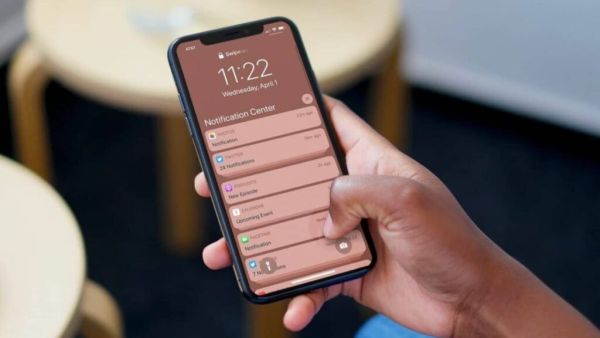
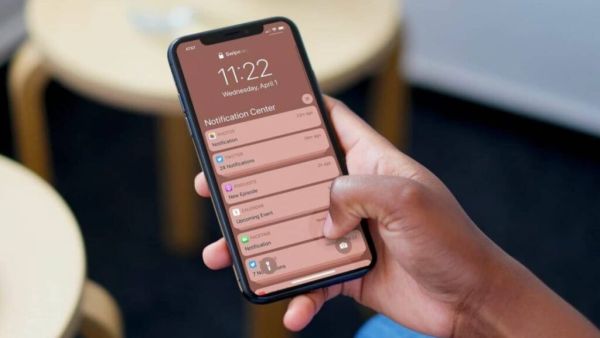
In today’s time smartphone notifications are very important for us. Because often there are some messages on the notification, if someone sees these messages, your online security may be in danger. One such notification is OTP. Your online security depends on OTP. If your smartphoneIf the above OTP falls into the wrong hands, your online security may be compromised.
CES 2026: Motorola’s Big Leap! Introducing the first ever foldable 5G phone, equipped with smart AI features and robust specifications…
Because banking apps, UPI payments, social media login or online shopping, OTP is used everywhere. Many smartphones have a setting so that the OTP appears directly on your lock screen. What if a scammer sees this OTP notification? Not only OTP but also many such notifications come in your smartphone, if they fall into the wrong hands, your security will definitely be at risk. In such cases you can use smartphone settings to be safe. Smartphones have a setting that allows you to increase your security by changing the notification settings that appear on the lock screen. (Photo Courtesy – Pinterest)
If you are an Android user, you can strengthen your privacy by changing some simple settings. First of all open the settings in your smartphone and select the notification option. Here you will see options to lock screen notification. In this you can select the option to “Hide Sensitive Content”. After you turn on this setting in the smartphone, you will not see the message content on the lock screen. Only you will see the name of the app on the lock screen. You have to unlock the phone to read important notifications.
Apple has also provided some privacy features for iPhone users. iPhone users go to settings tap on notification and now select show preview option. Now here select the option When Unlock and Never. After this, the OTP or any message text will not appear on the screen until you unlock the phone with Face ID, Touch ID or passcode.
Powerful looks, great performance… Redmi launches new 5G smartphone with 108MP camera, priced at just Rs.
The benefit of hiding lock screen notification is not limited to OTP only. This keeps your personal messages, bank alerts, emails and app notifications safe and away from prying eyes. This not only reduces the risk of fraud, but also keeps your personal conversations safe.