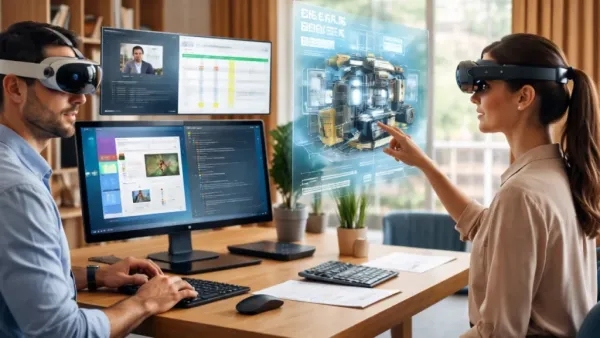
The idea of augmented reality glasses came to the public’s mind as a dream: easy-to-carry and hands-free displays that would change the way we get information, work from different places, and see digital things mixed with the real world. In five years, that dream has been achieved, and 2025 is a good point from which to ask a direct question: can AR gadgets take the place of laptops and monitors for remote professionals, or do they perform better as an added layer on top of the traditional tools?
The answer is conditional. AR is already delivering measurable value in narrowly defined professional scenarios, while fundamental hardware, input, and ergonomics constraints keep the laptop — and the external monitor — central to most knowledge work. This article traces the practical use cases where AR glasses add real utility, evaluates leading hardware and software approaches, and considers the structural barriers that will determine whether AR becomes a peripheral enhancement or an alternative computing paradigm.
In 2025, the clearest wins for AR in professional settings are spatial collaboration, remote assistance in field operations, and transient multi-display work that benefits from spatial memory. In industries such as construction, manufacturing, healthcare and field service, head-mounted AR provides hands-free access to schematics, superimposed instructions and remote guidance.
Enterprise solutions built on devices like Microsoft’s HoloLens 2 exploit heads-up video calls and spatial annotations to enable an expert to see a technician’s viewpoint and mark up the physical environment in real time; operators report reduced downtime and fewer on-site specialist visits in published case studies and vendor documentation. These scenarios are not speculative: they are deployed in industrial workflows where the combination of spatial context and low-latency communication yields direct cost savings.
The most significant appeal of AR for knowledge workers is its use in constructing flexible, virtual multi-monitor workspaces. High-resolution passthrough or virtual displays compatible devices allow users to position several windows of different sizes around their central vision, using the location spatially as a cue. This set-up can lead to less physical desk mess and smoother switching between tasks compared to the single small laptop screen’s toggling of applications.
Commercial products and platform updates in 2024–2025 have made these workflows more polished: Microsoft and Apple have introduced tighter integrations between conventional operating systems and spatial displays, and Meta’s Mixed Reality Link now enables Windows 11 virtual desktops in several headsets. These developments point to a hybrid model in which the laptop remains the computational anchor while AR becomes the display and collaboration layer.

The current device landscape reflects three distinct philosophies. Apple’s Vision Pro pursues a high-fidelity spatial computing experience aimed at consumers and prosumers. Its optical quality and ecosystem integration deliver compelling virtual desktop and collaboration demos; the device can host multiple, crisp app windows and supports familiar input modalities through existing Apple ecosystems.
In practice, however, weight, thermal design, and battery limitations constrain all-day professional use. The Vision Pro is persuasive as a short-to-medium duration productivity supplement rather than a full replacement for a laptop workstation. Evaluators note that the device remaps displays effectively but still relies on external input (keyboard, trackpad) and a nearby compute host in many workflows.
The HoloLens 2 from Microsoft is undoubtedly the most notable demo of the enterprise-first application. It supports field operations with hands-free, and the HoloLens is offering great spatial anchoring along with the smoothest integration with the enterprise services like Dynamics 365 Remote Assist. Its field of expertise is in overlays, solid industrial applications and enterprise support.
That orientation makes HoloLens a proven tool for remote guidance, training, and inspection, but not a first choice for prolonged document editing or software development. Recent vendor communications and case studies emphasise measurable operational benefits in industry verticals where spatial context matters most.
Meanwhile, Meta’s strategy, seen in the Quest Pro and the latest Quest 3/3S updates, is very nurturing: reducing prices, enlarging app ecosystems, and slowly improving the quality of the passthrough or mixed-reality modes. In addition, Meta has also promised features like multi-monitor workspaces, easier PC streaming, and recent updates have allowed more seamless Windows connectivity as well as keyboard display in the headset.
The upside of this situation is that there are no high-priced barriers to access for long teams or single professionals who want to try out super productivity. It is the optical fidelity, enterprise security controls, and lightweight form factor that are still lagging behind Apple and Microsoft in this aspect.
Nreal and other consumer AR glasses are examples of co-existing new players who reveal a different side of the market: low, light, and glasses-like hardware can be used as a second display when connected to a smartphone or a computer, but lack of apps and lower brightness/contrast make it less suitable for prolonged office work and more adapted to limited scenarios.

Several technical constraints remain decisive. Battery life and thermal management limit continuous wear; even vendors with the best optics must compromise on weight and cooling. Input methods are a second-order barrier. While eye-tracking, hand tracking, and voice have improved, none match the speed and precision of keyboard plus mouse for text-centric tasks.
The consequence is that many users opt for hybrid workflows that keep the laptop as the main input device while the display is moved to the headset. The questions of ergonomics and health effects remain open; long periods of time spent in headsets can cause eye fatigue and discomfort for some users, while the research on cognitive load and occupational health is not yet very extensive. Besides that, software ecosystems and enterprise management tools are still not as robust as the mature platforms that support laptop fleets. All these factors make it certain that at present, AR will only augment and not replace the majority of professionals.
From an organisational perspective, AR adoption follows a pattern familiar from earlier enterprise technologies: pilot, vertical consolidation, then expansion. Companies deploy AR where ROI is measurable, and workflows are task-bound; scale requires investment in device management, security policies and integration with back-end systems.
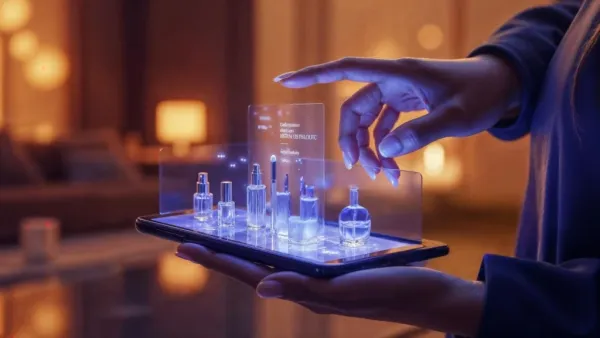
The method of economic reasoning also assesses whether the costs of hardware and training are more than the alternative accrued savings on travel, augmented collaboration productivity, and a decrease in mistakes made during operations. Industry reports and adoption curves predict that the situation will not be different for the year 2025, and even the feeder industries will show a faster adoption trend, while the usual white-collar workers will still be trying out the technology at an exploratory level.
The conclusion that can be drawn by the end of 2025 is a cautious one, but at the same time very realistic: AR glasses are not yet the most used device among remote workers as laptops are, but their role in the future of work is getting bigger and bigger for less and less. The areas of spatial collaboration, remote assistance, and virtual multi-monitor configurations have already proved their worth.
For instance, the optic and thermal design must allow comfortable wearing of the device for a long time, the input methods must be developed so that they are as fast and comfortable as using a keyboard and mouse for writing, and the software and management ecosystems for enterprises must be robust enough to handle secure and widely spread deployments.
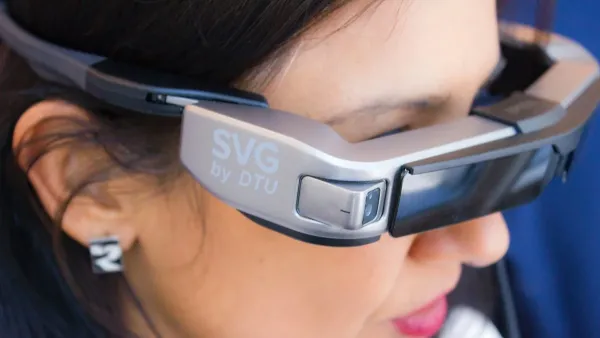
The conditions mentioned above will still have to be met before AR can be used in professional scenarios with the assurance that it will not interfere with the tasks done on laptops, which still play a major role in professional productivity. The path of the technology is, however, obvious: gradual but significant merger with the existing workflows, leading to productivity improvements in those areas where spatial context and hands-free operation are more advantageous.