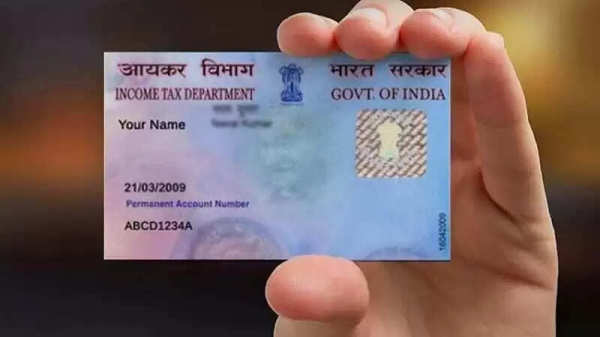
PAN Card Name Correction Online: If your PAN card has an incorrect name or you want to change your name, you can do this from the comfort of your home. Here's how to change your name online.
PAN Card Name Correction Online: A PAN card is just as important a document as an Aadhaar card. It's used not only for filing income tax but also for applying for government schemes, opening bank accounts, and as proof of identity. Even a small mistake in your name on your PAN card can cause significant problems. You won't be able to use it as proof of identity or conduct any financial transactions. Therefore, it's best to correct the name as soon as possible to avoid greater difficulties later when you need it.
However, you don't need to visit any office or service center to correct your name on your PAN card. You can easily do this yourself from home in minutes. You just need to follow a few online steps, provide the necessary documents, and pay the prescribed fee, and your work will be done.
What documents are required?
You will be asked for some documents as proof for the name change, such as:
Aadhaar Card
Address Proof (Aadhaar Card/Voter ID/Electricity Bill/Ration Card)
Birth Certificate
Old PAN Card
Passport-size photograph
Signature
How much is the fee?
For residents of India, a physical PAN card costs between Rs. 107 and Rs. 110, including GST, while for those residing abroad, it costs Rs. 1020.
For e-PAN (email only), the fee ranges from Rs. 66 to Rs. 101.
What is the online process?
Here's the online process for making corrections, which you can follow to easily change your name on your PAN card.
First, go to the official website of NSDL (Protean eGov) or UTIITSL. After this, click on the "Changes/Corrections in PAN" option.
After clicking, a form will open; fill in the required information and submit it.
Upon submission, a 15-digit token will be generated; note it down carefully.
Then, select the box containing your name and enter the correct information.
Now, you will be asked for some necessary documents; upload them.
After that, pay the prescribed fee and submit the form.
After submission, you will receive an Acknowledgement Slip; download it. You can check your application status using this slip.
Please note: PAN cards are issued by two agencies, NSDL (now Protean) and UTIITSL. Therefore, check the back of your PAN card to see which agency issued it. If it's NSDL, then it's best to make the corrections on the NSDL website. If it's UTIITSL, then go to their official website.
How long does it take to update a PAN card?
It takes at least 15 to 20 days for a PAN card to be updated. However, if any of your documents are missing or you have provided incomplete information, the process may take longer, or your application may even be rejected. In such a case, you can check or track the status of your application using the Acknowledgement Slip received after submitting the form.