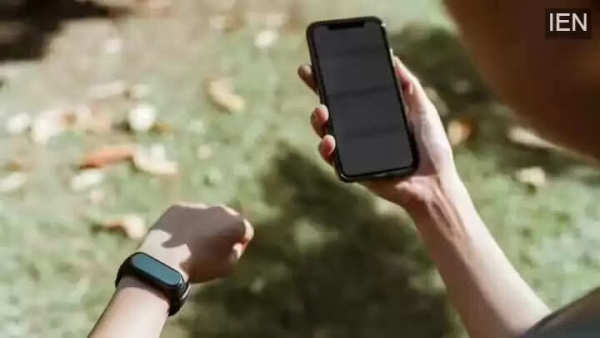
Smartphones today are doing far more than calling and messaging—they are becoming personal health companions. One such useful feature is the ability to measure your heart rate using just your phone’s camera. While many devices lack dedicated heart rate sensors, apps like Google Fit now make it possible to monitor your pulse using the rear camera and flashlight on both Android and iOS smartphones.
Recently, Google expanded its camera-based heart rate tracking feature to support more Android devices, and the feature has also started rolling out to Apple iPhones. This means users can check their heart rate anytime without wearing a smartwatch or fitness band. The process is simple, quick, and does not require any external hardware.
The technology works by detecting tiny color changes in your fingertip caused by blood flow. When you place your finger over the rear camera lens, the camera records these subtle changes. The app then analyzes the data to estimate your heart rate. For accurate results, proper lighting and steady finger placement are essential.
Google has clearly stated that this feature is designed for general wellness and fitness tracking only. It is not meant to diagnose, treat, or prevent any medical condition. For medical concerns, professional consultation is always recommended.
Follow these simple steps to measure your heart rate using your smartphone camera:
Download and open the Google Fit app on your Android or iPhone. Make sure the app is updated to the latest version.
On the home screen, look for the option labeled “Check your heart rate.” If your device supports the feature, it will be visible.
Gently place your fingertip over the rear camera lens. Ensure you are in a well-lit environment. If needed, turn on the flashlight using the on-screen toggle.
The app will display a message such as:
“Detecting pulse in your fingertip. Keep your hand still and apply light pressure.”
Remain steady for accurate measurement.
The app takes approximately 30 seconds to calculate your heart rate. During this time, avoid moving your hand.
Once the reading appears, you can choose to save the result in the Google Fit app for future reference and health tracking.
No need for a smartwatch or fitness band
Quick and easy heart rate checks
Helpful for basic fitness awareness
Readings can be saved for long-term tracking
Results may vary depending on lighting and finger placement
Not suitable for medical diagnosis
Best used for general wellness insights
With smartphone health features evolving rapidly, camera-based heart rate tracking is a convenient tool for users who want to stay informed about their fitness without investing in additional devices.