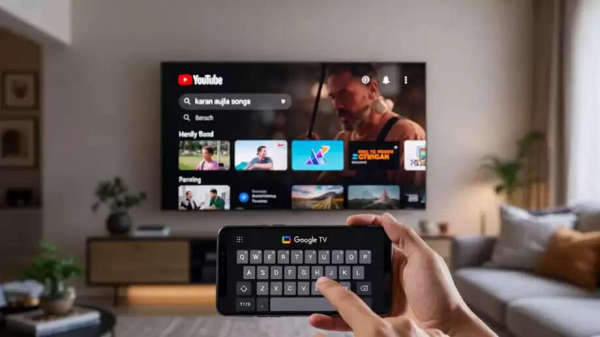
Smart TVs have doubled the fun of entertainment today, but when it comes to searching for something on the TV, users often get frustrated with typing word by word. Typing by selecting each word with the remote not only takes time, but it becomes even more difficult for the elderly and children.
Although some TVs now offer a voice mode, if your TV doesn't have this feature, don't worry. There's a very easy and smart solution. You can turn your mobile phone into a keyboard for your TV and type directly on the TV screen. Let's find out how...
How to turn your phone into a TV keyboard?
If you have an Android smartphone, you can easily use your mobile phone as a keyboard. All you need to do is install the Google TV app on your phone.
First, install the Google TV app on your phone.
Then, connect your phone and smart TV to the same Wi-Fi network.
As soon as you open the Google TV app, it will appear on the TV screen.
Once connected to the TV, a remote-like interface will appear in the app.
Now, click on the "Open Keyboard" option above the remote interface in the app.
A full keyboard will now open on your phone's screen.
Whatever you type here will appear directly on the TV screen.
Overall, with this trick, searching on YouTube, Netflix, or any other app will become as easy as using your mobile phone. The best part is that you don't need to go through any complicated steps.
Disclaimer: This content has been sourced and edited from Dainik Jagran. While we have made modifications for clarity and presentation, the original content belongs to its respective authors and website. We do not claim ownership of the content.