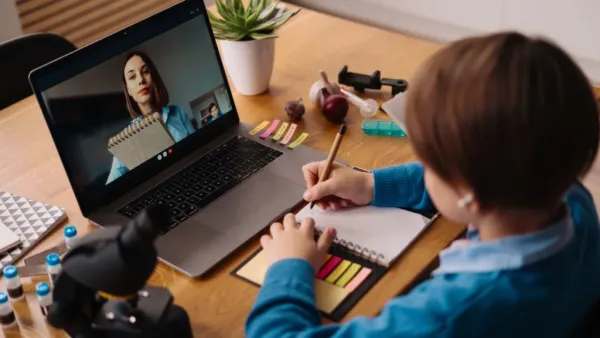
Remote teaching is not just a stopgap anymore; it has evolved and stuck around for longer than anyone had ever expected. At its core, tech makes all the difference: gear, programs, and classroom setups decide if online lessons barely run or actually thrive. We can peel back and take a look at what tools matter most, how they link up, yet also where things get tricky for those running classrooms. Devices meet apps in complex ways, and live sessions bring with them their own rhythm.
Starting strong with ease, smart tablets stand out in remote learning by being light, useful, and clearly built to cost less than most laptops. One big plus is a sharp screen that reacts fast to touch, sometimes working with a pen-like tool so kids can write, sketch, or solve equations just like using a pencil and paper.
For young learners or classes needing rough drawings or tight details, this hands-on approach turns out to matter more than expected. Lasting hours on one charge is significant as well, as it holds up when dropped or stuffed into bags daily, which ultimately cuts down on broken units and repeat buys. When the internet at home acts up, models with their own data link help stay online, avoiding missed class time. Without those, solid mics, acceptable sound output, and front cameras good enough still let live chats run smoothly, nothing fancy needed.
Apart from tablets, there are other sensible choices. Laptops that cost less, along with Chromebooks, usually come with stronger keyboards and access to more useful programs, perfect for high schoolers or anyone doing lots of typing or using full-featured software. Phones show up everywhere and let users dive into digital material quickly; however, squeezing big jobs, writing long reports, managing intricate charts, or working across two apps at once onto tiny displays becomes frustrating fast.
Adding modest extras, such as budget-friendly headphones or removable keypads, transforms a bare tablet into something far closer to a real work setup. Facing tough decisions, schools pick between letting students bring personal gadgets, buying equipment in large groups, sometimes used, or setting up systems like lending libraries. One thing leads to another when fairness and help needs clash with tight funding limits.
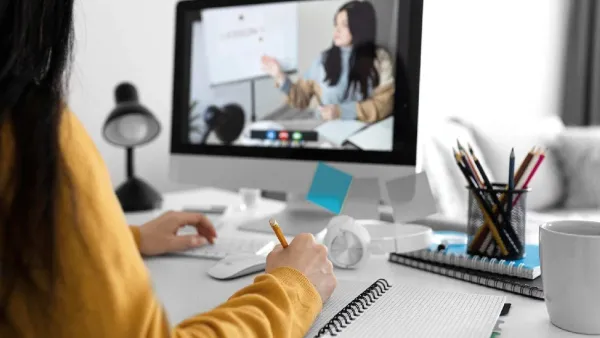
A mix of different tools works better than one all-in-one system. At the core sits a learning platform, which holds lessons, collects homework, tracks scores, and shows progress. Live sessions stick together through video apps, yet the useful ones offer more than just talking heads. Small group chats pop up in separate rooms, quick quizzes test understanding on the fly, emoji reactions give instant feedback, captions run without delay, all helping learners, young and old, stay involved.
Working together online becomes easier as well when students and teachers use shared docs, slides, or digital boards. With these, editing happens all at once, feedback flows between peers, while visuals help untangle tough ideas, just like in class groups. Quizzes that grade themselves show results fast, yet deeper check-ins reveal exactly which learners are on track. Recorded videos, step-by-step chats, and short explainers sit ready whenever someone needs them, giving flexible access beyond scheduled sessions. Pace shifts per person, pauses allow repeats, and gaps that seem insurmountable close without pressure.
Some students find it helpful when learning software runs even without Wi-Fi, letting them save lessons during good connections to revisit later. What counts in teaching terms often comes down to quick response times, programs sharing data smoothly, support for those with impairments, and clear reports for educators on how involved and skilled their pupils are becoming.
When class happens together online, it feels closest to school. How these moments are shaped decides whether learning clicks or drifts away. Instead of one person talking too long, better sessions blend brief explanations with pauses to see who gets it, then shift into planned group work. Breakout groups do something quiet but strong: they multiply focus, letting small teams talk through ideas while the teacher guides instead of answering every hand raised. Quick votes on screen, tiny quizzes, or just asking everyone to react at once, all these keep minds awake. Teachers learn fast what sticks, what slips, all in real time.
Even small tech details count. When the internet slows down, systems ought to keep running by shifting to voice-only or adjusting video on the fly, as this keeps learners online even when signals weaken. Waiting areas, locked chats, or ID verification quietly cut down noise during class while shielding personal information. Saving meetings gives absent students access later, or lets others go back over tough ideas; yet schools face trade-offs between keeping files and respecting permission. Recordings help learning but raise rules and data concerns. A strong lesson blends showing how, doing it, then thinking about what happened, and it works only if you accept that some join from shaky networks or older gadgets.
Sometimes machines help everyone connect equally; other times, they widen existing gaps. Across regions, common obstacles persist: electricity comes and goes, web service costs too much or crawls, families own one gadget at best, and understanding tech remains spotty for some pupils and educators alike. Heavy video formats lock out those unable to buffer live streams. Interfaces built around a single main tongue ignore anyone fluent elsewhere.
A patchwork of solutions fits together to tackle these hurdles. Offline-ready applications sit alongside downloadable lessons, cutting down how much internet speed matters. Streaming that adjusts itself works into the mix too, with subsidies for mobile data that creep in through policy moves, while free access to school websites grows quietly in public spaces like neighbourhood hubs. Libraries begin serving as gateways where kids get safe screen hours.
Culture meets curriculum when materials shift to mirror local realities and voices. Teachers slowly learn new rhythms for guiding classes they cannot see face-to-face. Tools bend toward flexibility, so every student finds their own path forward. Thoughtful assembly turns scattered parts into something stronger and wider circles of learners gain ground, not because tech dazzles, but because it listens.

Learning works best at a distance when groups focus on results, include everyone, and plan for slow internet. Getting these pieces right turns distant lessons into real chances to teach well. What matters most shows up in how students’ progress. Efforts improve when feedback shapes each step forward. Clear goals guide choices behind every screen.