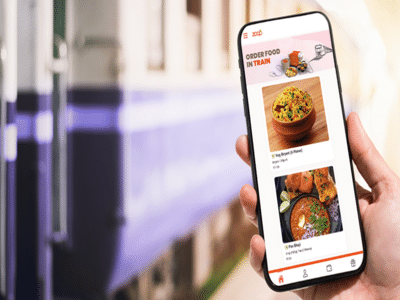
WhatsApp Food Ordering on Trains: Passengers often complain about the quality of food served on Indian Railways. But now, a new and easy service has been launched for train travelers. You can now order food online via WhatsApp, and it will be delivered directly to your seat or berth. With this service, you can enjoy delicious food from popular brands like Domino's, Haldiram, and Bikanerwala while traveling by train. The best part is that there are no network issues or delays, and passengers can easily track their orders.
Zoop, IRCTC's Official Partner
Now you can order food via WhatsApp through Zoop, IRCTC's official partner, and enjoy restaurant-quality food on your train journey. Here's how to do it...
Step-by-Step Process (How to Order Food on a Train via WhatsApp)
1. Message +91‑7042062070 on WhatsApp (this is Zoop's official number) or call 1323.
2. Enter your 10-digit PNR number.
3. Select the station where you want the food delivered.
4. Browse the restaurants, choose your preferred food, and add it to your cart.
5. Confirm your order and choose either Cash on Delivery or online payment.
Order at least one hour in advance.
When ordering food, remember that it is mandatory to place your order at least 60 minutes (1 hour) before your train arrives at the station where you want the delivery. This will ensure your food reaches you on time at the next station.
How to Make Payments? (Payment Modes for WhatsApp Food Orders)
You can choose from UPI, net banking, and other online payment options to pay for your food order.
Disclaimer: This content has been sourced and edited from NDTV India. While we have made modifications for clarity and presentation, the original content belongs to its respective authors and website. We do not claim ownership of the content.