WhatsApp has become a daily habit for millions of users in India. From checking messages first thing in the morning to late-night conversations with friends, family, and colleagues, WhatsApp is deeply woven into everyday life. To keep user conversations safe, the platform regularly introduces new privacy-focused features. However, many powerful options remain unnoticed simply because users are not fully aware of them.
One such lesser-known but extremely useful feature is Advanced Chat Privacy. Many people have heard the name but are still unsure about what it actually does and how it improves privacy. In this article, we explain everything you need to know about WhatsApp’s Advanced Chat Privacy feature, how it works, and what changes once you enable it.
What Is WhatsApp Advanced Chat Privacy?Advanced Chat Privacy is designed to keep your conversations strictly limited to WhatsApp. Once enabled, this feature adds an extra layer of protection to your chats and prevents others from misusing your messages, media, or shared content.
In simple words, it ensures that your chats cannot be easily taken outside the app. This is especially helpful for users who share sensitive information, personal conversations, or private group messages.
What Changes When You Enable Advanced Chat Privacy?Turning on Advanced Chat Privacy brings several important restrictions that strengthen your data protection. Here’s what happens:
Overall, this feature prevents screenshots, forwarding, saving, or external misuse of your conversations in many cases.
When Is This Feature Most Useful?Advanced Chat Privacy is especially useful in situations such as:
If you worry about someone misusing your messages or media, enabling this feature gives you added peace of mind.
How to Turn On Advanced Chat PrivacyActivating this feature is simple and does not require any technical knowledge. Follow these steps:
Once enabled, your selected chat becomes more secure instantly.
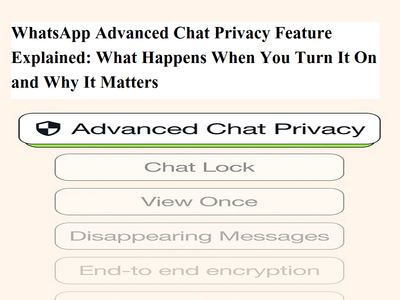
Extra Privacy Options You Get Along With ItWhen you explore Advanced Chat Privacy settings, you’ll also find additional tools that further enhance security:
These features work together to create a highly private messaging experience.
Can You Use It for Individual Chats and Groups?Yes, Advanced Chat Privacy can be enabled for both personal chats and group chats. This flexibility allows users to decide exactly which conversations need extra protection, instead of applying restrictions everywhere.
Things to Keep in MindWhile Advanced Chat Privacy improves security, users should remember:
WhatsApp’s Advanced Chat Privacy feature is a powerful tool for users who value confidentiality and data protection. It keeps your conversations private, prevents misuse, and ensures your messages remain within WhatsApp only.
If you frequently share sensitive information or want tighter control over your chats, enabling this feature is a smart move. If you found this guide helpful, don’t forget to share it with others. Stay connected for more easy-to-understand tech updates, privacy tips, and smartphone features explained.