MHT CET 2026 correction window opens March 5 and closes March 7. Candidates can edit details like name, DOB, photo, signature, gender and group online. Exams will be held from April 11 to 26 and May 10 to 17.
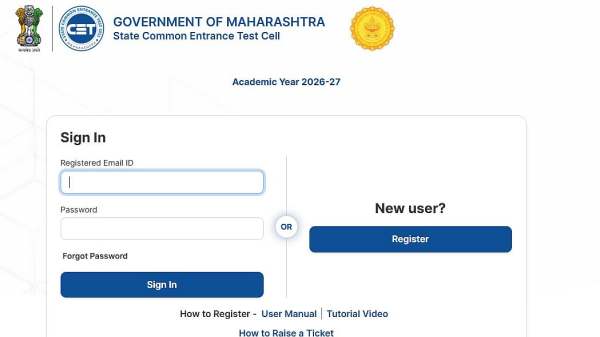
MHT CET 2026 Application Correction Window: The MHT CET 2026 correction window will open today March 5, 2026, according to the State Common Entrance Test Cell, Maharashtra. Candidates can use the MHT CET official website, cetcell.mahacet.org, to make changes to the Common Entrance Test application form.
On March 5, 2026, the edit window will start, and it will close on March 7. In order to make the required adjustments, candidates must log into their individual accounts during this time.
MHT CET 2026 Application Correction Window: Important dates
Correction Window Opens: March 5, 2026
Correction Window Closes: March 7, 2026
First Attempt Exam Dates: April 11 to April 26, 2026
Second Attempt Exam Dates: May 10 to May 17, 2026
MHT CET 2026: Exam Timings
Shift 1: 9:00 AM to 12:00 Noon
Shift 2: 2:00 PM to 5:00 PM
MHT CET 2026: Exam Details
The exam will be conducted only in online (Computer-Based) mode.
It will be held at various centres across Maharashtra.
Separate exams will be conducted for PCM (Physics, Chemistry, Mathematics) and PCB (Physics, Chemistry, Biology) groups.
MHT CET 2026 Application Correction Window: Editable Fields Details That Can Be Modified
Name of the candidate
Date of birth
Photograph
Signature
Gender
Category / Group
Second attempt status
MHT CET 2026 Application Correction Window: Steps to make the changes
Candidates can use the instructions listed below to modify the application form:
Step 1: Go to cetcell.mahacet.org, the MHT CET's official website.
Step 2: On the home page, click the link to the MHT CET 2026 correction window.
Step 3: Candidates will need to input their login information on a new page.
Step 4: Your application form will appear when you click submit.
Step 5: Review and edit the application.
Step 6: After finishing, download the confirmation page by clicking "Submit."
Step 7: Save a paper copy of it in case you need it later.
Candidates can visit MAHACET's official website for additional information.