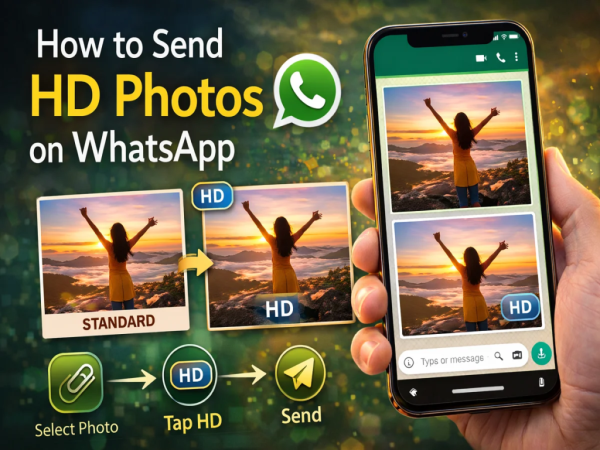
WhatsApp is one of the most popular messaging platforms in the world and users share millions of photos and videos every day. Earlier, whenever a photo was sent on WhatsApp, the platform would compress Used to do this so that the file size remains small and the photo can be sent quickly.
But in this process the quality of the photo was reduced. To solve this problem, WhatsApp has now Feature of sending HD photos is introduced.
With the help of this feature, now users can Can share in high-resolutionwhich makes the photos appear clearer and detailed.
With the help of HD photo feature, users can save their photos. Can send in better quality।
In this:
this feature Works in both personal chat and group chat।
WhatsApp gives two quality options while sending photos.
Standard Quality
HD Quality
First of all, open WhatsApp and open the chat or group in which the photo is to be sent.
Now camera or attachment icon Tap and select a photo.
After selecting the photo, the edit screen will appear.
looking up hd icon Tap on and High Quality Select option.
Now Done Tap and send the photo.
In chat when photo is sent HD badge Will be seen.
WhatsApp’s new HD photo feature Can prove to be very useful for users, especially for those who want to share photos in better quality.
Now you can retain more detail and clarity when sharing photos with your friends and family.