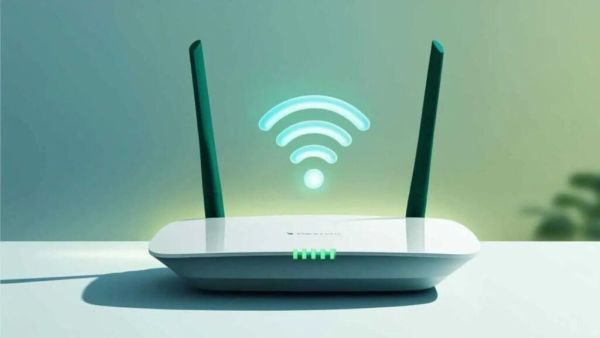
Along with food, clothing and shelter, smartphones and internet have also become our basic needs. In today’s digital age, staying away from smartphones and internet is like staying away from the whole world. Because smartphone fulfills many tasks in daily life in a pinch. Apart from this fast internet is also important for every person. Be it online classes, office work or watching movies on OTT, all work requires internet. For all these tasks, using WiFi is more beneficial than using mobile internet. Because WiFi internet speed is very fast.
Free Fire Max: Want to become a pro player in the game? Hit that perfect headshot and win every match
It often happens that you have purchased a good WiFi internet plan but still the internet speed is slow, there could be a big reason behind it. If your WiFi router is too old, the internet speed may be slow. Usually a WiFi router has a lifespan of 3 to 5 years. After this your wifi internet speed becomes slow. The ideal time to replace a WiFi router is 4 to 5 years after purchasing the router. (Photo Courtesy – Pinterest)
Time can affect the hardware of the WiFi router. Besides, old WiFi routers don’t support new technologies either. Like Wi-Fi 5 or Wi-Fi 6. If you connect more devices, your old Wi-Fi router’s capacity decreases and the internet becomes slower. Apart from this the device starts heating up and its performance is also affected.
If you find that your internet speed is dropping frequently and video buffering is increasing or you are having trouble getting the signal to the corners of the house, it is time to change your WiFi router. Also if the Wi-Fi router has to be restarted frequently then this is an indication that you need to change your Wi-Fi router in your home.
POCO X8 Pro vs OnePlus Nord 5: From camera to battery… Who is the real king in the 32k range? Read this comparison before buying
While buying a new router, you have to pay attention to the latest technology. Routers with WiFi 5 or WiFi 6 support offer better speed and coverage. Dual-band or tri-band routers are capable of handling more device connectivity. Also, you have to buy a WiFi router according to your household budget and usage. So that you will get good network connectivity in every corner.