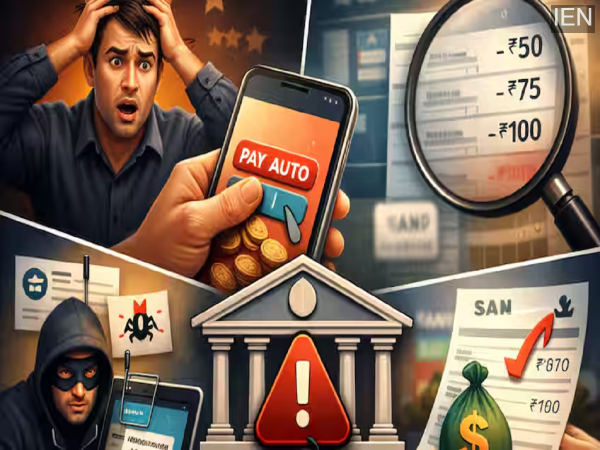
Small errors made while setting up Auto-Pay can lead to repeated deductions from your bank account. So, learn about the 5 major risks associated with Auto-Pay, how to configure the correct settings, and how you can utilize this feature effectively while keeping your money safe.
In today’s digital age, everything—from EMIs, electricity and water bills, and mobile recharges to OTT subscriptions and insurance premiums—is being handled via Auto-Pay. Set it up once, and you’re done. However, this very convenience can turn into a financial liability if you forget about your settings and money continues to be deducted automatically. In reality, many people fail to even notice for months that small amounts are being siphoned off from their accounts. Therefore, understanding how Auto-Pay works is just as crucial as actually using it.
Understand the Concept in 4 Points
Why is a Mistake in Auto-Payment So Dangerous?
5 Major Mistakes Related to Auto-Pay and Their Solutions
1. Is Setting It Up in a Rush the Biggest Mistake?
Setting up Auto-Pay in a hurry is the most common mistake people make.
When you set up Auto-Pay, make sure to verify the following details:
Special Note: Payments such as credit card bills and electricity bills fluctuate every month.
If you haven’t set a maximum limit = A larger-than-expected amount could be deducted.
2. Is It Safe to Set Up Auto-Pay Through Just Any App?
Absolutely not… choose only the bank’s official app or trusted platforms.
Unknown websites or links pose a significant risk of fraud.
Nowadays, money is being siphoned off by setting up auto-debits through fake apps and phishing links.
Is it necessary to check your account after setting up Auto Pay?
Yes, and it is absolutely essential.
Review your bank statement at least once every month, and read all SMS/Email alerts.
Remember that even small deductions of ₹50–₹100 could be a sign of a major scam.
What should you do if you spot an unrecognized transaction?
Take immediate action if you notice an unrecognized transaction.
Contact your bank’s customer care service.
Cancel the Auto Pay or Standing Instruction.
Block your card if necessary.
Any delay will only increase your financial loss.
Is Auto Pay suitable for every expense?
Auto Pay is not suitable for every type of expense.
Make your decisions wisely.
EMIs – Suitable
Essential Bills – Suitable
OTT/Unnecessary Subscriptions – Unsuitable
In short: more Auto Pay means higher risk.
So, what exactly is Auto Pay?
It is an automated payment system set up via a bank or an app.
Money is deducted automatically on a scheduled date.
It is most commonly used for EMIs, bill payments, and subscriptions.
Why does this matter?
Essentially, money can be deducted without your explicit approval.
The risk of fraud increases.
A small mistake can lead to continuous financial losses.
| Issue | Risk | What You Should Do |
|---|---|---|
| Auto Pay Settings | Incorrect settings may lead to repeated deductions | Always check amount, date, and limit |
| Unknown App/Website | Risk of fraud | Use only official platforms |
| Not Checking Account | Unauthorized deductions may continue | Review your statement every month |
| Unknown Transactions | Can lead to major financial loss | Inform your bank immediately |
| Too Many Auto Pay Setups | Higher risk exposure | Keep Auto Pay only for essential bills/EMIs |
What changes can we expect?
Digital payments will continue to rise.
Auto Pay will become increasingly commonplace.
Cyber fraud tactics will become even more sophisticated.
What steps should you take moving forward?
Set a transaction limit for every Auto Pay mandate.
Cancel any unused subscriptions.
Keep your SMS and Email alerts enabled.
Review your bank statements every month.
What does this mean for you?
Auto Pay is a convenience, but it also comes with a responsibility.
A “smart user” is one who maintains full control.
A little caution can save you from significant financial loss.
A Point Worth Noting
Auto Pay certainly makes your life easier; however, if you are not in “alert mode,” this very convenience can become a threat to your finances. Therefore, using the right settings, performing regular checks, and exercising a little common sense can protect you from major financial losses.
Important Questions Related to This Article (FAQs)
Q1: Is Auto Pay completely safe?
Yes, provided you use the right platform and settings.
Q2: Can Auto Pay be stopped immediately?
Yes, via your bank’s app or customer care.
Q3: Is it necessary to set a limit?
Yes; this helps you avoid overcharging.
Q4: Should even small transactions be checked?
Absolutely; these can often be the starting point of fraud.
Q5: Is it advisable to set up Auto Pay for every bill?
No, only for essential expenses.