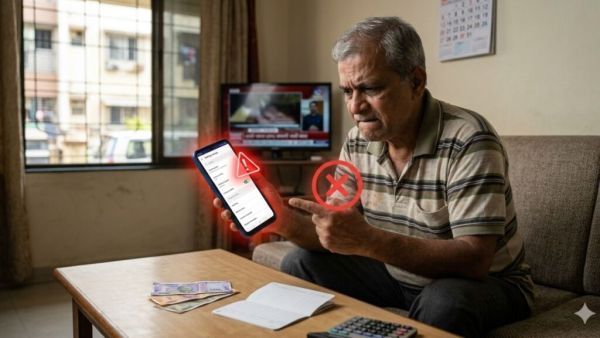
Call Forwarding Scam: This is a big cautionary note for mobile users, as the methods used by fraudsters are now much more advanced than ever before. Amazingly, fraudsters don’t even need your OTPs (one-time passwords) or bank details anymore. By changing just one simple setting, they can take complete control of your phone and even withdraw money from your bank account. Given this situation, it is very important to understand exactly how this fraud works and take timely measures to protect yourself.
People often do not take phone calls from unknown numbers seriously; Or succumb to the caller’s clever persuasive tactics, dialing specific codes at their behest. This seemingly trivial mistake can turn into a huge financial loss over time. Before you realize it, important information to your phone starts being diverted to a third party.
In this type of fraud, the perpetrator pretends to be a delivery agent, customer service representative or bank employee. Under some excuse, they ask you to dial a certain code. The moment you dial that code, your phone’s ‘Call Forwarding’ setting is activated; And all your incoming phone calls and text messages (SMS) start being diverted to another number.
Once call forwarding is activated, any OTPs or bank- calls you receive on your phone fall into the hands of the fraudster. Using this access, they can easily withdraw money from your bank account. Often, only after the money has already been deducted from your account, do you realize what exactly has happened.
Huge discount on Samsung Galaxy Z Flip 4! 95 thousand phone now only 38 thousand; Know complete information
The most alarming part of this scam is that it does not require you to click any link or download any application(s). In many cases, you don’t have to share your OTP with anyone on your own. This whole process takes place without your knowledge and without your consent, which makes it a very dangerous form.
You can easily check if ‘Call Forwarding’ is currently enabled on your phone or not. For this, go to your phone’s “Call Settings” and check the “Call Forwarding” option. If you see any unknown or unknown number mentioned there, remove that number immediately.
If you suspect that Call Forwarding is activated on your phone, immediately dial the code ##002#. This code disables all settings to call forwarding on your device at once.
To stay safe, keep a few simple precautions in mind. Do not dial any codes asked to be dialed by strangers (callers); Do not immediately believe calls claiming to be from banks or delivery services; And never share your personal information with anyone. If anything looks suspicious, cut the call immediately; And if needed, file a complaint through the helpline 1930 or on the Cybercrime website.
Vivo T5 Pro 5G Launched, Features Exclusive with 9020mAh Battery; Know the price