CBSE Class 12th Results 2026 Declared: 85.20% Students Pass; Step-By-Step Guide To Check Scores Via UMANG And DigiLocker
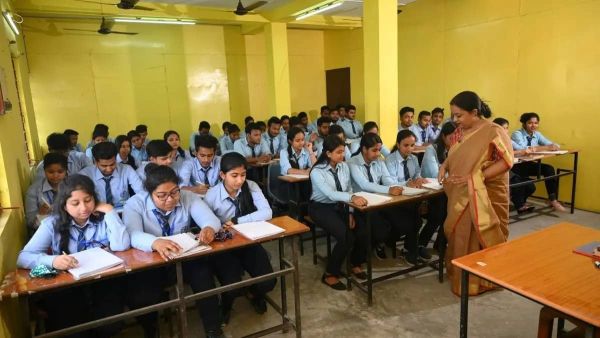
New Delhi: The Central Board of Secondary Education (CBSE) has officially announced the Class 12 results for 2026, recording an overall pass rate of 85.20%. Gender-wise data reveals that female students outperformed their male counterparts, achieving a pass percentage of 88.86% compared to 82.13%.
Students who appeared for the board examinations can check their results on the official website- results.cbse.nic.in.
Alternate ways
Apart from the CBSE results portal, the Class 12 results will also be accessible through other official websites, including cbse.gov.in, cbseresults.nic.in, digilocker.gov.in, and results.gov.in.
Students also have the option to retrieve their scorecards via the DigiLocker and UMANG mobile applications. Furthermore, the result link will be made available through SMS services for added convenience.
The CBSE Class 12 board examinations were conducted in India and abroad from February 17 to April 10, 2026, in a single shift from 10:30 am to 1:30 pm.
How to Check Result on DigiLocker
To access your results via the DigiLocker, follow these steps:
- Access the Platform: Navigate to the official website at digilocker.gov.in or open the DigiLocker app on your mobile device.
- Sign In: Log in using your registered mobile number, 6-digit security PIN, or linked government ID credentials. New users will need to complete the sign-up process first.
- Locate the Document: Under the 'Issued Documents' or 'Education' section, search for 'CBSE' and select 'Class XII Marksheet 2026'.
- Provide Credentials: Enter your official roll number, school code, and any other required verification details.
- View and Save: Click 'Submit' to generate your digital marksheet. Download and save the document for upcoming admissions and official records.
How to check on UMANG app
To access your results via the UMANG app, follow these steps:
- Install the App: Download UMANG from either the Google Play Store or the Apple App Store.
- Authentication: Launch the application and log in using your registered mobile number.
- Navigation: Locate the search bar, type "CBSE," and navigate to the official CBSE services section.
- Access Results: Select the link for the Class 12 Result 2026.
- Verification: Provide your roll number and the necessary credentials as prompted.
- View and Save: Submit your details to display your scores. It is recommended to download and retain a digital copy of your marksheet for future reference.
Steps To Download Via Portal
- Visit the Portal: Go to the official CBSE results website at results.cbse.nic.in
- Select the Link: Click on the active link labeled "CBSE Class 12 Result 2026".
- Enter Credentials: Input your specific details, including your roll number, school number, and admit card ID.
- View Results: Submit the information to display your official scorecard on the screen.
- Save Your Record: Download the digital copy or print the scorecard for use in future admissions and documentation.
Top 5 Mobile Settings
- Update Your Browser: Ensure your mobile browser is running the latest version to prevent the CBSE portal from crashing or freezing under high traffic.
- Clear Cache and Cookies: Wipe your browser’s temporary data to resolve loading errors and ensure you aren’t viewing an outdated version of the results page.
- Verify Connection Stability: Switch to a high-speed Wi-Fi network or reliable 5G/4G data before the announcement to avoid connectivity drops at the critical moment.
- Keep Credentials Ready: Save your roll number, school code, and admit card ID in a digital note for quick copy-pasting, reducing the risk of entry errors.
- Set Up Digital Backups: Pre-install and log into the DigiLocker or UMANG apps; these serve as vital alternatives if the official website slows down due to heavy volume.