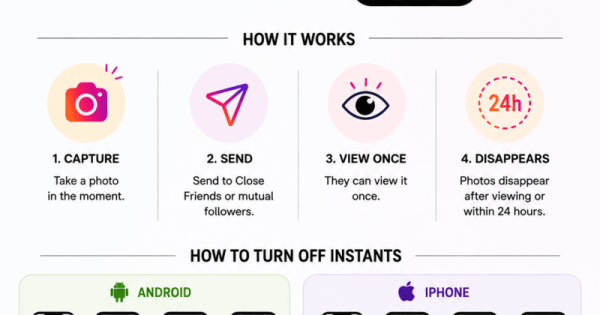
Instagram’s new “Instants” feature lets users send disappearing photos through DMs, similar to Snapchat and BeReal. The photos are meant to be spontaneous and unfiltered, can only be viewed once, and disappear after viewing or within 24 hours.
Instants appear inside the Instagram inbox and allow users to share quick photos with Close Friends or mutual followers. Unlike Stories, photos cannot be edited or uploaded from the gallery.
Many users have complained about accidentally sending photos because the feature instantly shares the image once the shutter button is tapped.
How to turn off Instagram Instants on Android
This removes the Instants section from your inbox and stops you from seeing incoming Instants.
You can also:
How to turn off Instagram Instants on iPhone
The steps are the same for Apple iPhone users:
Some users also report another method:
How to remove a photo accidentally shared through Instants
If you accidentally send an Instant:
Key things to know about Instants