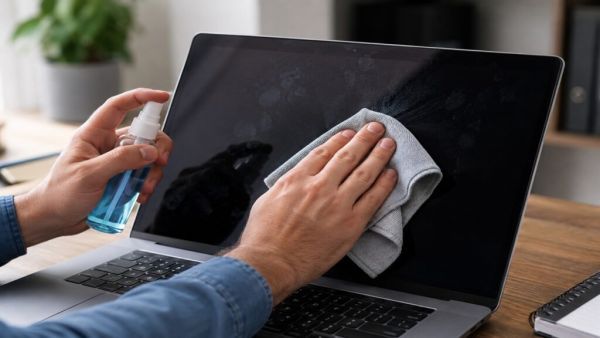
If you have a laptop or monitor screen at home, how do you clean it”color: #3366ff;”>Laptop Wipe the screen with a dry cloth, but if stained, some use an eyeglass cleaner. Cleaning your glasses with a chemical cleaner may seem like a simple and effective method, but experts have made a shocking revelation. Eyeglass cleaners and other chemical cleaners can damage your monitor screen. These chemicals can damage the anti-glare and protective coating on modern screens. If you want to keep your screen in good condition for a long time, it is very important to follow a proper cleaning method.
Turn off the screen before cleaning. Then, take a microfiber cloth. Use warm water or a 1:1 mixture of water and isopropyl alcohol to lightly dampen the cloth.
Make sure never to spray water or alcohol directly on the screen. Always apply the solution to the cloth first, then clean the screen.
Good news for smartphone lovers! Motorola’s New Phone Launch; 50MP selfie camera, Dolby Atmos speakers and 50 hours of battery life
Gently wipe away fingerprints, smudges and lines from the screen in a circular motion. Do not apply too much pressure. For stubborn stains, take a little longer, but don’t scrub the screen too hard.
The same method can also be used to clean the bezel and stand of the screen. If you are using a laptop, you can also clean the keyboard with the same microfiber cloth.
According to experts, the screen should be cleaned every one to two weeks. This prevents the accumulation of dust, fingerprints and dirt. If something spills or smudges on the screen, it’s best to clean it immediately. Leaving it for too long can make the stain difficult to remove. You can also use compressed air to remove dust from the bottom or edges of the screen. This makes it easy to clean areas where cloth cannot reach.
Some screen cleaning mistakes can be costly. Avoid using Clorox wipes, Windex, eyeglass cleaner, or any other harsh chemical cleaners. This can damage the coating on modern screens. In many cases, repairing such damage can be so expensive that buying a new screen is a more cost-effective option. Do not clean the screen while it is on. This increases the risk of damage. Also, avoid using paper towels, tissues, or rough cloths. This can cause permanent scratches on the screen that cannot be removed.
It is also important to wipe in a circular motion when cleaning. If you only wipe from top to bottom or from side to side, the screen may show stains after drying. Wiping in a circular motion reduces the chance of staining. Most importantly, no matter how stubborn the stain, never apply too much pressure to the screen.
Tech News: iPhone 18 Pro has 4 new colors Leak, Cherry shade will bring storm in the market; Riot in the market for Gen-Z!