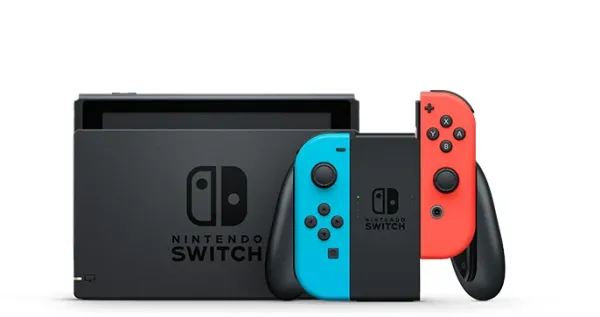
Joy-Con drift is one of the most common problems Nintendo Switch owners face. It happens when the analog stick starts registering movement even when you are not touching it. Characters may walk on their own, menus can move unexpectedly, and aiming becomes difficult. Fortunately, there are several ways to solve the problem without immediately buying a new controller.
Joy-Con drift is a problem affecting the Joy-Con controllers used with the Nintendo Switch. The analog stick begins sending incorrect inputs, causing unwanted movement during gameplay.
Common symptoms include:
The problem can affect either controller, although the left Joy-Con is often reported more frequently because it is used heavily in many games.
Several factors can cause this issue. The most common reasons include:
Identifying the cause will help determine the best solution.
Before trying more advanced fixes, make sure the system software is up to date.
Follow these steps:
Software updates can sometimes resolve input- bugs and improve controller performance.
The controllers themselves also receive firmware updates.
To update them:
After updating, test the controller again to see if the problem has disappeared.
Improper calibration may cause strange movements. Recalibrating the stick is easy and only takes a few minutes.
Follow these instructions:
If the stick responds normally afterward, the issue may have been software- rather than hardware-.
Some controller grips, skins, or protective covers can interfere with analog stick movement.
Try removing:
After removing accessories, test the controller again.
Dust and debris are major causes of Joy-Con drift. Cleaning the controller can sometimes restore normal operation.
You will need:
Steps to follow:
Avoid using excessive liquids, oils, or harsh cleaning chemicals, as these may damage the controller.
Custom button configurations may create behavior that resembles drift.
To restore default settings:
Testing the controller afterward may reveal that the problem was caused by altered settings rather than hardware failure.
Sometimes the issue appears only in certain games. Motion controls or special sensitivity settings can make it seem like the controller is drifting.
Try testing the Joy-Con in several games. If the problem occurs everywhere, the controller itself is likely responsible.
If cleaning and recalibration do not help, the analog stick may have worn out.
Replacement kits are widely available and usually include:
People with experience handling electronics can perform the repair themselves. However, opening the controller may void any remaining warranty.
If the controller still suffers from drift, contacting Nintendo is often the best solution.
Professional repair offers several advantages:
In some regions, Nintendo has repaired drifting Joy-Con controllers even outside the standard warranty period.
While no controller lasts forever, good habits can extend its lifespan.
Helpful practices include: