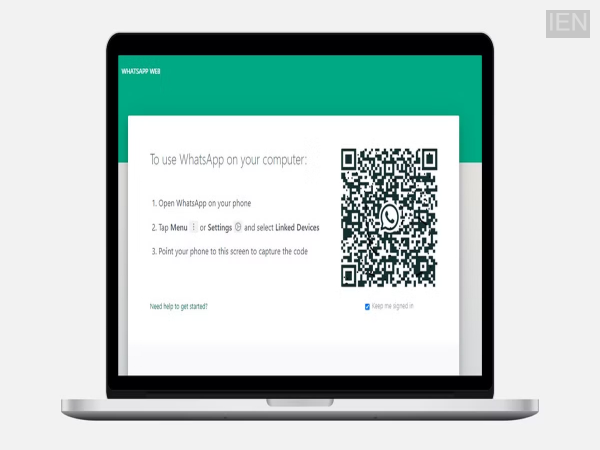
WhatsApp New Feature: A new feature is coming to WhatsApp that eliminates the need to scan a QR code to link your account to another device. This process will be enabled using a 'Passkey'.
WhatsApp New Feature: WhatsApp is rolling out a series of impressive features. Recently, the company introduced a username feature. Now, it is working on another feature that removes the hassle of scanning QR codes to use WhatsApp on linked devices. A passkey-based linking feature will be introduced, making the entire process faster and more secure. Reports indicate that this feature will arrive for Android first; there is no information yet regarding its availability for iPhone.
What is the current process for linked devices?
Currently, if you want to use WhatsApp on a laptop or desktop in addition to your mobile phone, you have to scan a QR code. Your account logs in on the other device only after the scan is complete. Plans are now underway to change this process. With the new feature, users will no longer need to scan a QR code; instead, they will be able to use a passkey to access WhatsApp on other devices. However, this feature will not replace QR codes entirely but will offer users an additional, convenient option.
What are the benefits of a passkey?
Let’s first understand what a passkey is. A passkey verifies your identity using your phone's built-in security features—such as fingerprint scanning, face unlock, or screen lock. Passkeys can be stored on the device itself or in a password manager. In terms of benefits, passkeys are extremely difficult for attackers to bypass, offering superior protection against hacking.
How will the new feature work? Once this feature becomes available, attempting to link a device using a passkey will trigger a confirmation request on WhatsApp; simply tapping 'Continue' will link the device. However, in some instances, users may also be asked to scan a QR code for additional verification, indicating that the company is not completely phasing out QR codes. To use this feature, you must generate a passkey for your WhatsApp account. You can do this by navigating to the app's settings and opening the 'Account' section, where you will find the passkey option. Once created, you can use the passkey to link devices.