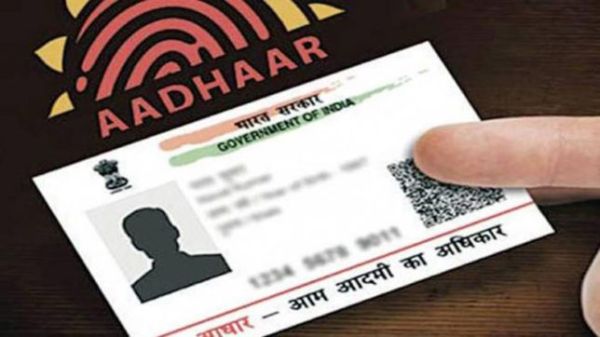
Secure Your Aadhaar Biometrics: India’s rapid shift toward digital payments has brought convenience, but it has also opened doors to new and invisible forms of fraud. One of the most alarming threats in recent times is biometric misuse linked to Aadhaar. Several cases across different Indian states have shown how bank accounts were emptied without card usage, OTP verification, or even the account holder’s knowledge. This makes Aadhaar biometric protection not just important, but essential for every citizen.
A silent biometric scam occurs when fraudsters illegally clone fingerprint or iris data and use it through Aadhaar-enabled payment platforms. Since Aadhaar-based authentication can authorize transactions without a debit card or password, criminals exploit this system once biometric data is compromised. Victims often realize the fraud only after their bank balance drops, making recovery extremely difficult.
Locking your Aadhaar biometrics acts as a digital safety switch. Once locked, your fingerprint, iris, and facial data cannot be used for authentication unless you personally unlock them. This step ensures that even if someone gains access to your Aadhaar number or biometric copy, they cannot perform financial or identity-based activities without your consent. It is one of the strongest preventive measures available today against identity theft and unauthorized transactions.
How to Lock Aadhaar Biometrics Through the Official Portal
The Aadhaar biometric locking process is simple and can be completed online within minutes using the official portal managed by Unique Identification Authority of India.
Step One: Access the Aadhaar Portal
Visit the official Aadhaar self-service website using a secure browser and stable internet connection.
Step Two: Login With Aadhaar Number
Enter your twelve-digit Aadhaar number along with the captcha code displayed on the screen to begin the login process.
An OTP will be sent to your registered mobile number. Enter this OTP to successfully access your Aadhaar dashboard.
Once logged in, navigate to the biometric services section. Select the option to lock or unlock biometrics and choose the enable locking feature.
Step Five: Confirm and Activate
Carefully read the instructions, provide your consent, and proceed. Your biometric data will now be locked and protected from unauthorized use.
There may be situations where biometric authentication is genuinely required, such as mobile SIM verification, banking services, or property registration. In such cases, you can temporarily unlock your biometrics for a limited time window. After this short duration, the system automatically re-locks the data, maintaining continuous security without extra effort from your side.
Regularly Monitor Aadhaar Authentication History
Checking your authentication history helps you identify suspicious activity early. By reviewing recent authentication attempts, you can immediately spot any unknown access requests and take action.
Never send Aadhaar numbers or card images through messaging apps or email. Digital sharing increases the risk of data leaks and misuse.
Do not hand over your Aadhaar card at photocopy shops, cyber cafes, or unknown service centers. Always supervise when your document is being handled.
Masked Aadhaar versions hide critical digits of your number and reduce exposure if the document is misplaced or copied.
With increasing dependence on biometric authentication for financial and government services, awareness is the first line of defense. Locking biometrics, monitoring usage, and practicing safe data-sharing habits significantly reduce the risk of digital fraud. These small preventive steps can protect your identity, savings, and peace of mind in the long run.