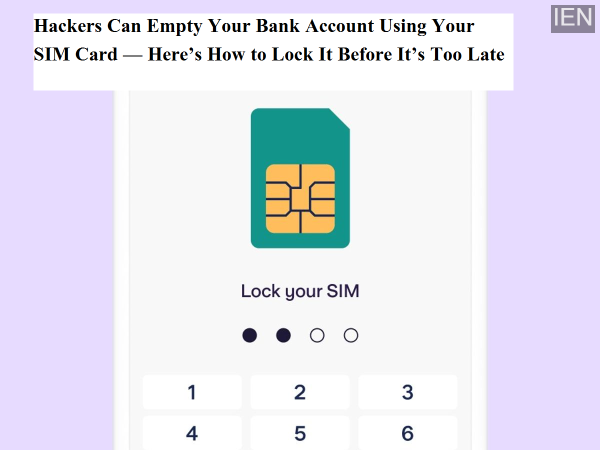
In an era where mobile numbers are directly linked to bank accounts, UPI apps, emails, and social media, your SIM card has effectively become the key to your digital identity. Many users are unaware that hackers do not always need your phone or passwords to access your money. In several fraud cases, criminals have managed to drain bank accounts simply by taking control of a victim’s mobile number.
This type of cybercrime is commonly known as SIM swap fraud or duplicate SIM scam. The good news is that there is a simple and highly effective way to protect yourself — locking your SIM card with a personal PIN.
In a SIM swap scam, fraudsters trick or bribe telecom representatives or use fake documents to issue a duplicate SIM card linked to your mobile number. Once activated, all incoming calls and SMS messages — including bank and UPI OTPs — start reaching the scammer instead of you.
With OTP access, hackers can reset banking passwords, approve UPI transactions, hijack email accounts, and even take over social media profiles. In many cases, victims realize something is wrong only after their phone network suddenly stops working or money disappears from their account.
A SIM PIN lock adds an extra layer of security to your mobile number. Once enabled, the SIM card cannot be used in any phone without entering the correct PIN.
This means:
Your number cannot be ported without authorization
Duplicate SIM requests get blocked
Stolen or lost SIM cards become useless
Hackers cannot receive OTPs even if they have your SIM
In short, SIM locking prevents criminals from hijacking your digital life at the root level.
Before changing your SIM PIN, check the default PIN provided by your telecom operator. It is usually 0000 or 1234, but this can vary.
Confirming the default PIN is important because entering the wrong PIN multiple times may permanently lock your SIM, forcing you to visit a service center with identity proof.
For Android users:
Go to Settings → Security & Privacy → SIM Lock
For iPhone users:
Go to Settings → Mobile Data → SIM PIN
Turn on the SIM PIN option.
You will first be asked to enter the current PIN, followed by setting a new 4-digit SIM PIN.
Choose a PIN that:
Is easy for you to remember
Is difficult for others to guess
Is different from your phone lock or ATM PIN
Restart your phone.
Before the network connects, your phone will ask for the SIM PIN. Enter your newly set PIN to activate the network.
If the network connects successfully, your SIM lock is active.
Once the SIM PIN lock is turned on:
The SIM will ask for a PIN every time the phone restarts
The SIM will require the PIN if inserted into another phone
Unauthorized users cannot access calls, SMS, or OTPs
Even if your phone is stolen or your SIM is copied, no one can use it without the SIM PIN.
Never share OTPs, even with someone claiming to be from a bank or telecom company
Avoid clicking unknown links or installing unofficial apps
Inform your bank immediately if your mobile network stops unexpectedly
Keep your telecom operator’s customer care number saved
SIM-based fraud is one of the fastest-growing cyber threats today, but it is also one of the easiest to prevent. A simple SIM PIN lock can block hackers from accessing your OTPs, bank accounts, and digital identity.
Taking just five minutes to secure your SIM card today can save you from financial loss and stress tomorrow.