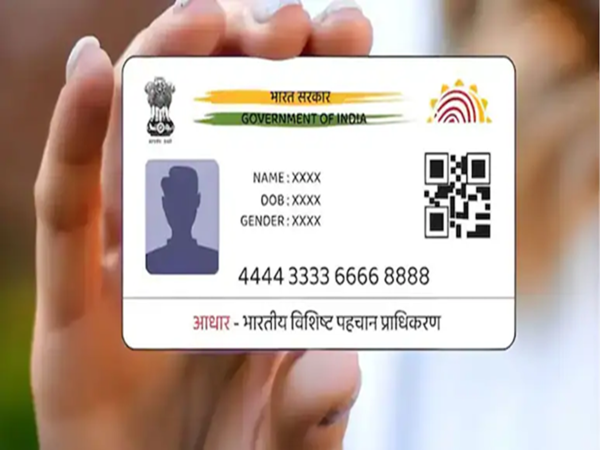
How to Update Photo on Aadhaar Card: In today's time, the Aadhaar card has become a very important identity document. It is required for many tasks such as banking, government schemes, SIM cards, and passports. Therefore, if the photo on your Aadhaar card is old or unclear, it can cause problems. Many people complain that the photo on their Aadhaar card is not good or is very old. This is because many people got their Aadhaar cards made 8-10 years ago, and the photo taken at that time no longer matches their current appearance. If you are also facing this problem, this article can be helpful for you.
You can easily change the photo on your Aadhaar card. UIDAI (Unique Identification Authority of India) provides the facility to update Aadhaar information, which allows you to change your photo as well. Let's learn how:
How to change the photo on your Aadhaar card?
For this, you will have to use both online and offline methods. The Aadhaar card photo cannot be changed online. To change the photo, you will have to visit your nearest Aadhaar Enrolment Centre or Aadhaar Seva Kendra.
Step-by-step guide to changing your Aadhaar card photo:
First, go to the official UIDAI website and download the Aadhaar Enrollment/Update Form.
Print the form and fill in all the required information correctly.
Now, visit your nearest Aadhaar Enrolment Centre or Aadhaar Seva Kendra.
Submit the filled form to the Aadhaar executive there.
After this, your biometric information (fingerprints and iris) will be taken.
Your new photo will be clicked at the Aadhaar center itself. You do not need to carry your own photo.
You will have to pay a fee of Rs. 100 for updating the photo.
After the process is complete, you will receive an Acknowledgement Slip with a URN number.
You can track the status of your Aadhaar update online using this URN number.
How to download the updated Aadhaar card?
Once your photo is updated (usually within 30 days), you can visit the UIDAI website and click on 'My Aadhaar' → 'Download Aadhaar'. By filling in the required information there, you can download your updated e-Aadhaar (PDF) and print it.
Keep these points in mind:
No documents are required to change your photo.
Updates usually take 30 days, but sometimes it can take up to 90 days.
Visiting an enrollment center is mandatory for biometric updates such as photos, fingerprints, and iris scans.
Changing your photo on your Aadhaar card is an easy and secure process. If your Aadhaar photo is old or unclear, you too can get it updated by visiting your nearest Aadhaar enrollment center.
Disclaimer: This content has been sourced and edited from NDTV India. While we have made modifications for clarity and presentation, the original content belongs to its respective authors and website. We do not claim ownership of the content.