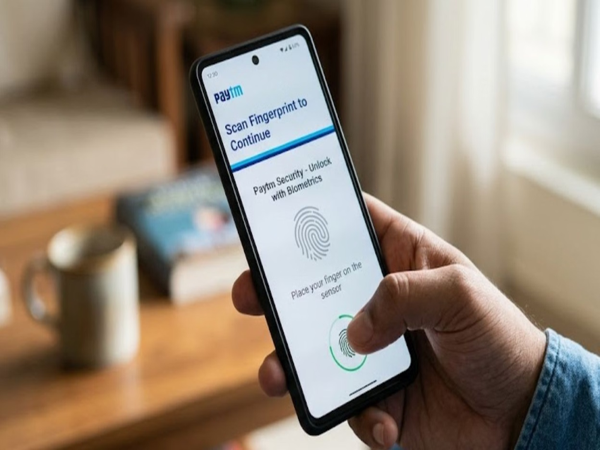
The RBI has implemented significant changes, effective April 1, 2026, to enhance the security of the country's digital payment systems. These changes apply to various digital payment systems, including ATMs, bank transactions, and UPI. Specifically regarding UPI, while you previously had to enter a PIN after scanning a QR code to make a payment, this system has now changed. Moving forward, you will no longer need to enter a PIN to make payments via UPI apps such as Paytm, Google Pay, and PhonePe.
**New Biometric System Implemented for UPI Payment Apps**
As of April 1, a new biometric system has been implemented for making payments through UPI apps. This makes the payment process even easier and more secure. You can now make payments by placing your fingerprint on the screen instead of entering a PIN. However, to utilize this feature, you must first activate the fingerprint authentication system within your UPI app. If you are a Paytm user, here is a guide on how to activate fingerprint authentication within the app.
**How Paytm Users Can Activate Biometric Authentication**
To begin, first update the Paytm app on your phone. If the app is already up to date, simply open it. On the app's home screen, you will see an "Activate Now" button at the very top, prompting you to activate fingerprint payments.
Upon tapping this button, you will see a list of the bank accounts linked to your app. If you have linked multiple accounts, you have the option to register a unique fingerprint for each account. Once you tap on an account, you will be prompted to register your fingerprint on the screen. As soon as you place your finger on the screen to register it, your fingerprint will be successfully recorded.
Once fingerprint payments have been activated, a notification reading "All your accounts are now secured with fingerprint" will appear on your screen. Subsequently, whenever you attempt to make a payment by scanning a QR code, you will be presented with the option to authenticate the transaction by providing your fingerprint.
Disclaimer: This content has been sourced and edited from Amar Ujala. While we have made modifications for clarity and presentation, the original content belongs to its respective authors and website. We do not claim ownership of the content.