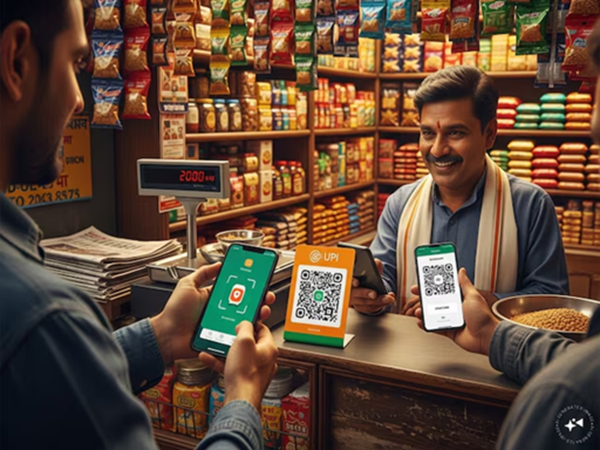
Nowadays, digital payments—particularly UPI transactions—have surged rapidly at retail shops. Concurrently, new methods of fraud are also emerging. Scammers are now defrauding shopkeepers by presenting fake payment screenshots. Taking advantage of the hustle and bustle at busy shops, fraudsters purchase goods, pretend to scan the QR code, and then show the shopkeeper a screenshot on their phone displaying "Payment Successful." This screenshot appears completely authentic—featuring the correct bank logo, the accurate time, and a valid transaction ID. However, in reality, it is merely an edited image.
Amidst the rush and chaotic atmosphere, shopkeepers often hand over the goods without verifying the payment. Scammers either edit screenshots of genuine past transactions to present as current ones or repeatedly reuse old screenshots. Some even go so far as to use fake apps to generate fraudulent screenshots. Under the pressure of a crowd or simply in a hurry, the shopkeeper hands over the merchandise without verification, only to discover later that no money was ever received. Consequently, shopkeepers must verify every single transaction; otherwise, financial loss is inevitable.
**How Do the Scammers Operate?**
**Fake Apps:** The internet is rife with applications capable of generating screenshots that are virtually indistinguishable from those of legitimate payment apps.
**Old Screenshots:** Fraudsters edit screenshots of past payments, altering the details to insert a new name and date.
**Exploiting Haste:** They attempt to make a hasty exit immediately after showing the screenshot, thereby preventing the shopkeeper from checking their own bank account to verify the transaction.
**Shopkeepers Should Keep the Following Points in Mind to Avoid Fraud:**
**Check Your Own Phone:** Instead of relying on the customer's phone display, always verify the transaction by checking the SMS notification received on your own phone or by reviewing the transaction history within your banking app. Consider the transaction incomplete until the funds are visibly reflected in your account balance.
**Install a Soundbox:** If your shop experiences heavy footfall, installing a "Soundbox" (an audio-based payment confirmation device) is an excellent solution. It provides instant, audible confirmation the moment a payment is successfully received.
**Monitor Notifications:** Keep your phone's notifications enabled so that you receive an immediate alert for every incoming payment. Do not hesitate: It is not wrong to ask the customer to wait for 10 seconds. Securing your money should be your priority.
Disclaimer: This content has been sourced and edited from News18 Hindi. While we have made modifications for clarity and presentation, the original content belongs to its respective authors and website. We do not claim ownership of the content.