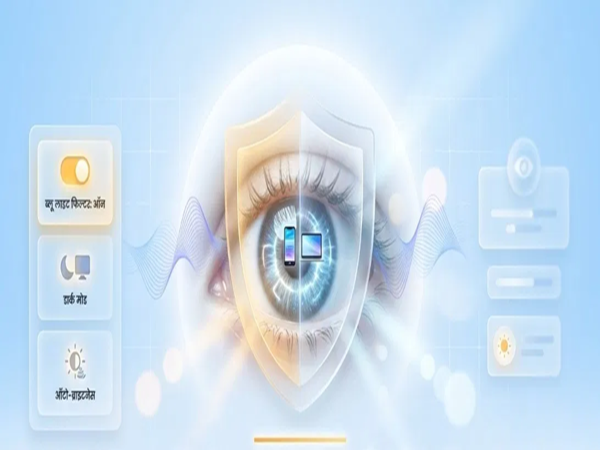
Digital Eye Strain Prevention: In today's world—whether for office work, online studies, or social media—people spend hours in front of mobile and laptop screens. Due to constant screen exposure, problems such as eye pain, irritation, heaviness in the eyes, headaches, and blurred vision are on the rise. This condition is known as Digital Eye Strain or Computer Vision Syndrome. Prolonged and excessive screen usage gradually takes a toll on the eyes. However, the good news is that the strain placed on your eyes can be significantly reduced by enabling a few simple settings on your phone and laptop.
Blue Light Filter (Laptop/Phone): Blue Light Filters Protect the Retina
Our smartphone and laptop screens constantly emit blue light, which has a direct and highly detrimental effect on the retina of our eyes. To protect yourself from this, always keep the built-in blue light filter on your device enabled. This feature gives the screen a slightly "warmer"—or faintly yellow—tint, which provides relief to the eyes. This feature goes by different names across various devices:
Samsung: If you are a Samsung user, go to your phone's settings and enable "Eye Comfort Shield."
Google Pixel: If you use a Google Pixel device, turn on the "Night Light" feature available within the Display Settings.
iPhone: iPhone users should go to the Control Center or Display Settings to activate "Night Shift" mode.
Laptop Users: If the majority of your work is done on a laptop, this feature is available in the Display Settings on both Windows and MacBook devices; it can also be scheduled to activate automatically.
Enable Dark Mode: Dark Mode Cuts Light Strain on the Eyes by Half
If you are still using the classic "Light Mode" (with a white background) on your phone or laptop, your eyes could be suffering as a result. Therefore, go to your device's settings today and switch on "Dark Mode." As soon as you enable this feature, the background of your apps and screen turns completely black. Since the background is dark, the overall light emitted by the screen places significantly less strain on your eyes, allowing you to work for extended periods without experiencing any stress or pain. This setting also helps conserve your phone's battery life.
Furthermore, many people have a habit of keeping their phone's brightness at full intensity, even when indoors or in a dimly lit room. An excessively bright screen is a leading cause of digital eye strain. The simplest way to prevent this is to always keep the auto-brightness feature enabled on your device. This feature detects the ambient light in your surroundings and automatically adjusts the screen brightness to the precise, optimal level. Whether you are out in bright sunlight or inside a dark room, your screen will never be brighter than necessary, thereby helping to prevent potential harm to your eyes.
How to use Eye Comfort Shield: These habits are also essential for protecting your eyes
Simply adjusting your settings is not enough. Adopting a few simple habits can also provide relief to your eyes:
Take a 20-second break every 20 minutes.
Maintain an appropriate distance from the screen.
Avoid using a bright screen in a dark room.
Remember to blink frequently.
Use anti-glare glasses if necessary.
Disclaimer: This content has been sourced and edited from Amar Ujala. While we have made modifications for clarity and presentation, the original content belongs to its respective authors and website. We do not claim ownership of the content.