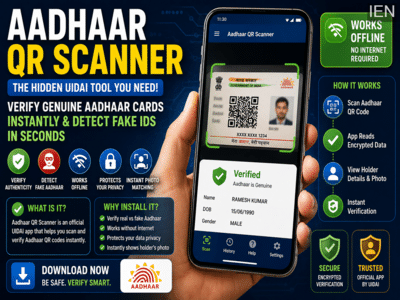
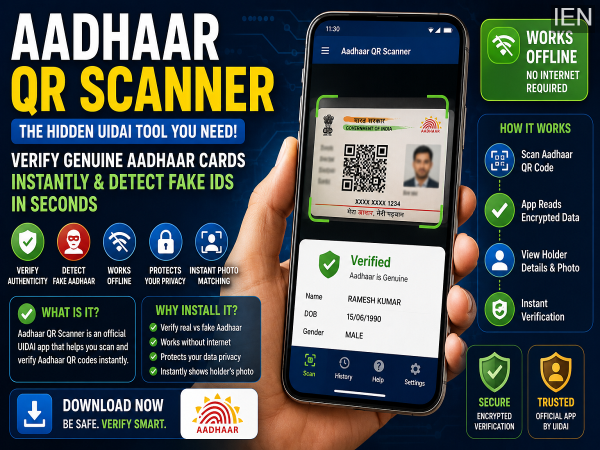
As digital identity verification becomes increasingly important, the risk of fake documents and identity fraud is also growing. With advanced editing tools and AI-powered image generation becoming widely accessible, creating convincing fake identity cards has become easier than ever. To address this challenge, the Unique Identification Authority of India (UIDAI) offers a lesser-known companion application called Aadhaar QR Scanner.
While most Aadhaar holders are familiar with the official Aadhaar app, many are unaware that UIDAI also provides a dedicated QR verification tool designed specifically to verify the authenticity of Aadhaar details. This additional app can play an important role in preventing fraud and ensuring secure identity verification.
What Is Aadhaar QR Scanner?Aadhaar QR Scanner is an official application developed by UIDAI to verify Aadhaar QR codes. Think of it as an extension of the Aadhaar ecosystem that focuses specifically on authentication and verification.
The Aadhaar app allows users to access and manage various Aadhaar-related services. However, the QR Scanner app is designed to verify information shared through Aadhaar QR codes and confirm whether the details belong to a genuine Aadhaar holder.
As digital Aadhaar sharing becomes more common, the scanner helps users, businesses, and organizations quickly validate identity information without relying solely on physical documents.
Why Is This App Important?Identity verification fraud has become a growing concern in the digital era. Edited documents, manipulated images, and AI-generated identity cards can sometimes appear convincing enough to deceive individuals and organizations.
The Aadhaar QR Scanner helps reduce this risk by verifying data directly from the secure QR code embedded in Aadhaar credentials.
Instead of depending only on visual inspection of an Aadhaar card, users can scan the QR code and instantly check whether the information is authentic and valid.
This makes the verification process more reliable and significantly reduces the chances of accepting forged identity documents.
How Does Aadhaar QR Scanner Work?The application is designed to be simple and user-friendly.
After installation, the app requests camera access, allowing users to scan Aadhaar QR codes directly through their smartphone camera.
Once the QR code is scanned, the application decodes the information and displays the Aadhaar details available within the QR code.
Users can also verify QR codes stored as images. The app provides an option to upload QR code images directly from the phone's gallery for scanning and verification.
This flexibility makes the tool useful for both physical and digital verification scenarios.
Can It Work Without Internet?One of the most useful features of Aadhaar QR Scanner is its ability to function without an active internet connection.
Since the verification process relies on the encrypted information embedded within the QR code, users can authenticate Aadhaar details even in areas with poor mobile connectivity.
This feature can be particularly helpful in rural locations, remote worksites, field operations, and travel situations where internet access may not always be available.
Key Benefits of Aadhaar QR ScannerThe app offers several practical advantages:
Detect Fake Aadhaar DocumentsThe scanner helps users distinguish between genuine and potentially fraudulent Aadhaar credentials by validating QR code information.
Offline VerificationIdentity checks can be performed even without mobile data or Wi-Fi connectivity.
Enhanced PrivacyThe verification process is designed to protect user data and reduce the risk of unnecessary information exposure.
Instant Identity MatchingThe app can display the Aadhaar holder's details and photograph contained in the QR code, allowing quick comparison with the person presenting the identity document.
What Information Appears After Scanning?When a QR code is successfully scanned, the application displays the Aadhaar information that has been shared by the Aadhaar holder.
The app also indicates whether the Aadhaar information is valid and successfully authenticated.
Importantly, the amount of information displayed depends on the level of data shared by the Aadhaar holder. If only limited information has been included within the QR code, only those specific details will be visible during verification.
This helps maintain user privacy while still enabling secure identity checks.
Who Should Use Aadhaar QR Scanner?The app can be useful for:
Employers conducting identity verification
Hotels and guest houses
Financial institutions
Retail businesses
Security personnel
Property rental services
Individuals verifying identity documents
Anyone who regularly needs to verify Aadhaar credentials can benefit from the added security and convenience offered by the QR Scanner application.
A Useful Tool for Safer Digital VerificationAs India moves toward increasingly digital identity systems, tools like Aadhaar QR Scanner can help strengthen security and reduce the risk of identity fraud. By enabling instant verification, offline functionality, and privacy-focused authentication, the app serves as a valuable companion to the standard Aadhaar application.
For users who rely on Aadhaar verification in their daily work or personal transactions, installing the QR Scanner app can provide an additional layer of confidence and protection against fake identity documents.