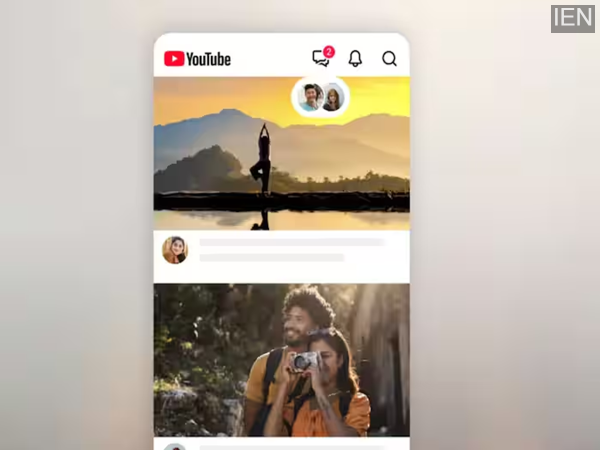
You can now share your favourite videos with friends and message them directly on YouTube. Exciting new features have arrived on the YouTube app.
YouTube has introduced a new in-app video sharing and messaging feature for its users. This feature allows users to share all types of YouTube videos—including Shorts and live streams—directly within the app. To access this feature, users simply need to tap the new messaging icon in the YouTube app. From there, you can send invitations to share videos. Let’s look at the details.
YouTube In-App Chat and Video Sharing Features
Video streaming platform YouTube has released a new in-app chat and video sharing feature for its users. Currently, this feature has been rolled out in the US and select global markets. The list includes 40 countries, such as Brazil, Italy, Singapore, and the UK. However, the feature is set to be released in other locations in the near future. Notably, the company began testing this feature last year, initially making it available in Ireland and Poland.
This messaging feature is accessible only to users aged 18 and older. With its introduction, sharing activity will take place directly within the YouTube app, eliminating the need to send separate links to YouTube content via WhatsApp.
As mentioned, this feature allows you to share all types of YouTube videos, including Shorts, live streams, and long-form videos. To access it, simply tap the message icon within the app to start sharing videos.
How to Share a Video While Watching Content
1. First, open the YouTube app on your smartphone.
2. Select the video you wish to send to your friends.
3. You will see a 'Share' option there.
4. Click on this icon, select the video you wish to send, and send an invitation message.
Invite Others to Share Content and Exchange Messages
1. To do this, click on the message icon located in the top-right corner of the YouTube app.
2. Next, select the option to invite someone to chat.
3. Now, share the invitation link with the person you want to connect with.