How to Unsend Email on Gmail: In today’s digital age email It has become a very important part of our daily life and office work. Be it important office work, any file transfer or business communication, the use of email has become mandatory everywhere. However, often we send the wrong email in haste or haste. Sometimes a wrong file is attached, sometimes an incomplete message is sent, and sometimes the mail is sent to the wrong person. In such a situation users get confused. but, In Gmail With the help of a simple feature, you can fix this error in seconds.
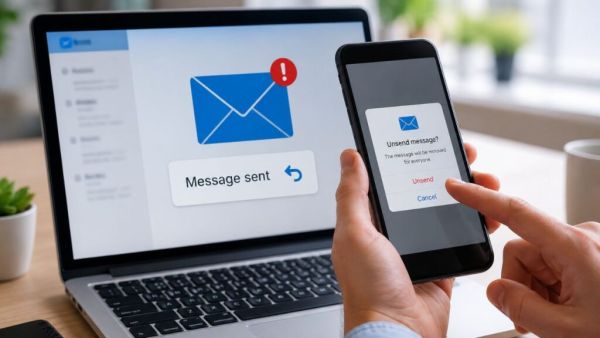
Google’s Gmail platform has provided a very useful feature called ‘Undo Send’ for the users. This feature allows you to recall a sent email within seconds. When you click on the ‘Send’ button, the email is not immediately sent to the other person, but is put on hold in the system for a few seconds. Meanwhile an ‘Undo’ option appears at the bottom of the screen, by clicking on which you can block that email.
By-default in Gmail this feature is active for only 5 seconds. However, you can extend this time limit to 30 seconds. For that follow the following steps:
1. Login to Gmail: First of all open Gmail account on your computer.
2. Go to settings: Click on the ‘Gear’ (Settings) icon in the right corner of the screen.
3. See All Settings: Then select the ‘See all settings’ option.
4. Find the Undo Send option: In the ‘General’ tab itself you will see the option of ‘Undo Send’.
5. Select Time (Cancellation Period): Here the drop-down menu will have an option of 5, 10, 20 or 30 seconds. It is more beneficial to choose the 30 second option for safety reasons.
6. Save Changes: Finally scroll down and click on ‘Save Changes’.
A new explosion in the tech market! Vivo X Fold 6 with 200MP Camera Launched in China; The premium look caught the attention of users
This facility is not only limited to computers but also available on Gmail’s mobile app (Android and iOS). When you send an email from mobile, there is a ‘Sending’ option at the bottom left of the screen and an ‘Undo’ option next to it. As soon as you tap on it, the sent email comes back to the screen in draft form and is not visible to the other person.
Although the ‘Undo Send’ feature is considered a life-saver, it has some limitations. If you do not click ‘Undo’ within the set time limit (eg 30 seconds), the email goes to the recipient’s inbox forever and cannot be deleted or recalled thereafter. So apart from taking the help of technology, the safest way is to double check ‘To’, ‘Subject’ and ‘Attachment’ before sending any email.
The government’s big warning! ‘Boss Scam’ continues on WhatsApp and e-mail; One mistake and you will lose big