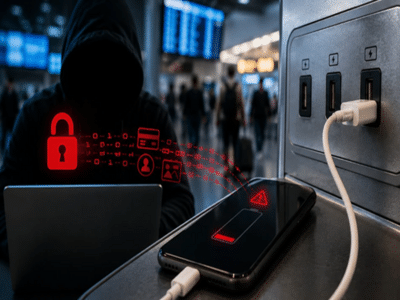
We often forget to carry a power bank or our own charger while traveling. In such situations, free charging stations at airports, railway stations, hotels, or cafes come in handy. But did you know that this simple habit of charging your phone in an unfamiliar place could lead to serious trouble?
Yes, simply plugging your phone in to charge can expose your personal data, private chats, photos, and even your bank account details to hackers. In the world of technology, this threat is known as "Juice Jacking." Let’s understand in simple terms how it works and how you can protect yourself.
What is the Juice Jacking scam?
Essentially, the USB cable used to charge your phone performs two functions: charging the battery and transferring data. Hackers exploit this dual functionality. They tamper with public charging ports or the cables attached to them, installing a hacking device or a virus inside.
How is your data stolen?
As soon as you connect your phone to such a public charging port, the phone begins to charge, but hackers simultaneously steal your banking details, passwords, and personal photos from your smartphone—all while sitting remotely. Sometimes, they even inject dangerous malware or viruses into the phone, giving them full control over your device.
Keep this in mind
If, after connecting your phone to a public charging station, a pop-up appears on your screen asking to "Allow this device," "Trust this computer," or requesting data access, be alert immediately. This clearly indicates that the port is not secure. In such a situation, do not grant permission under any circumstances, and immediately disconnect your phone.
How to avoid the Juice Jacking scam?
Follow these simple tips to keep your data and bank account secure:
Always carry your own charger: Make sure to carry your own adapter and cable while traveling. It is safest to charge your phone directly from a wall socket rather than using a USB port.
Use a power bank: Fully charge your power bank before setting out on a trip and use only that when needed.
Use a privacy cable: USB data blockers are available in the market that block the data transfer component of the cable, allowing only power to pass through.
These are very useful when charging in public places.
Charge your phone while it is switched off: In case of an emergency where there is no other option, switch off your smartphone completely before charging it via a public port.
A little caution can save you from significant loss. Do not put your phone's valuable and private data at risk for the sake of free or public charging.
Disclaimer: This content has been sourced and edited from Amar Ujala. While we have made modifications for clarity and presentation, the original content belongs to its respective authors and website. We do not claim ownership of the content.