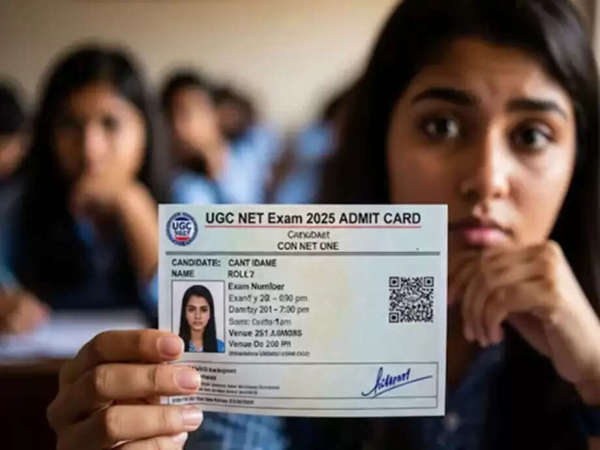
UGC NET Exam 2025 Admit Card: The National Testing Agency (NTA) has released the admit cards for the exams to be conducted under the UGC-NET December 2025 session. Candidates whose exams are scheduled between January 2 and January 7, 2026, can now download their admit cards from the official website ugcnet.nta.nic.in. The NTA has already conducted the first exam of this session on December 31, while the remaining exams will be held in the first week of January.
UGC NET Exam 2025 Admit Card: How to Download UGC NET Admit Card
Candidates can follow the easy steps given below to download their UGC NET admit card:
1. First, visit the official website ugcnet.nta.nic.in.
2. Then, click on the ‘Admit Card for UGC-NET December 2025’ link in the ‘Candidate Activity’ section on the homepage.
3. Now, enter your application number and password.
4. Finally, click on ‘Submit,’ and your admit card will appear on the screen.
5. Download the admit card and take a printout for future reference.
UGC NET 2025: Exam Dates
According to the schedule released by the NTA, the first exam will be held on December 31, 2025, and the remaining exams will be held on January 2, 3, 5, 6, and 7, 2026. Candidates are advised to carefully check their exam date and shift details on the admit card.
UGC NET 2025 Guidelines: Important Guidelines for the Exam
Candidates appearing for the UGC NET exam must strictly follow the guidelines issued by the NTA:
– Candidates must reach the examination center at least 2 hours before the exam to complete the frisking and registration process.
– Entry will be closed 30 minutes before the start of the exam.
– Enter the examination hall only at the time given on the admit card. - It is mandatory to sit in your designated seat as soon as the examination hall opens; arriving late may cause you to miss important instructions.
- Bringing a printed copy of the admit card is mandatory; you will not be allowed to sit for the exam without a valid admit card.
- Each candidate will be assigned a seat according to their roll number; changing seats may lead to the cancellation of your candidature.
- Please verify the subject displayed on the computer screen with your admit card; report any discrepancies to the invigilator immediately.
- In case of technical problems, medical emergencies, or any other issues, contact the center superintendent or the invigilator.
What to do if you have problems with your admit card?
If a candidate is facing difficulty downloading the admit card or finds any errors in it, they can contact NTA.
Phone number: 011-40759000
Email: ugcnet@nta.ac.in
Disclaimer: This content has been sourced and edited from News 18 hindi. While we have made modifications for clarity and presentation, the original content belongs to its respective authors and website. We do not claim ownership of the content.