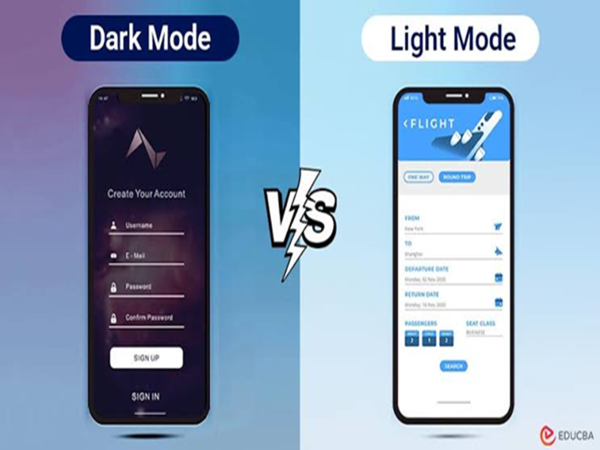
During the summer, smartphone users often wonder whether using Dark Mode actually saves battery life. Another common question is whether Dark Mode helps keep the phone cooler. This debate has been ongoing amidst rising temperatures and rapid battery drain. However, there is no simple answer, as it largely depends on your phone's display technology and usage habits.
Does Dark Mode really save battery?
If your smartphone has an OLED or AMOLED display, Dark Mode can help save some battery. On these screens, pixels consume very little power—or sometimes turn off completely—to display the color black. That is why using a dark theme can reduce the screen's power consumption.
However, it would be incorrect to assume that Dark Mode dramatically extends battery life. If the phone's brightness is already set to a low or normal level, the difference in battery savings during everyday use is not particularly noticeable.
What happens with phones that have LCD screens?
Not all smartphones come with OLED or AMOLED screens. On devices with LCDs, Dark Mode has little to no impact on battery life.
This is because LCD screens rely on a backlight that remains constantly on. Whether the screen displays white or black, the backlight consumes power at the same rate. Consequently, the benefit of using Dark Mode solely to save battery on LCD phones is limited.
How are heat and battery life related?
High temperatures can affect both the capacity and performance of a smartphone's battery. Activities like gaming, video streaming, using GPS, or using the phone in direct sunlight during summer can cause the device to heat up quickly.
On phones with OLED screens, Dark Mode consumes slightly less power, which might lead to a marginal reduction in heat generation. However, experts note that the phone's screen brightness level has a far greater impact on this.
So, which mode is better? If you use your phone outdoors in bright sunlight, text appears clearer and easier to read in Light Mode. Conversely, Dark Mode may feel more comfortable for your eyes at night or in low-light environments.
On phones with OLED screens, Dark Mode can also help save some battery power, though it isn't necessarily the best choice in every situation.
Simple ways to save battery
You don't have to rely solely on Dark or Light Mode to extend battery life. Adjust the screen brightness according to your needs, close unnecessary apps running in the background, and use Battery Saver mode when required. Additionally, avoid leaving your phone in direct sunlight for extended periods, use Wi-Fi whenever possible, and avoid the continuous use of resource-heavy apps. These measures can help keep both your battery and your phone in better condition.
Disclaimer: This content has been sourced and edited from Amar Ujala. While we have made modifications for clarity and presentation, the original content belongs to its respective authors and website. We do not claim ownership of the content.